FreightFlow
A web TMS that turns documents, loads, invoices, and settlements into one flow.
A web TMS that turns documents, loads, invoices, and settlements into one flow.
FreightFlow: one system from document to settlement.
All-in-one trucking system for carriers.
Create loads fast without manual retyping.
Design around roles and status-driven work.
Loads, invoices, settlements, dashboards, extraction.
Faster operations measured via safe success proxies.
A dispatcher opens FreightFlow right after a new shipment comes in. They create a load, confirm stops, and keep updates attached to the trip. Later, accounting turns completed work into invoices and monitors what is unpaid. Meanwhile, a manager checks a quick dashboard snapshot to spot capacity gaps early.

In trucking ops, small delays compound fast. One missing field becomes a late pickup, then a late invoice, then a settlement dispute. The work is not hard once - it is hard dozens of times a day, under time pressure.
We designed around real operational moments instead of isolated screens: starting a load from a document, executing stops, and closing cash flow. From those scenarios, we shaped flows and a status spine that keeps work predictable.
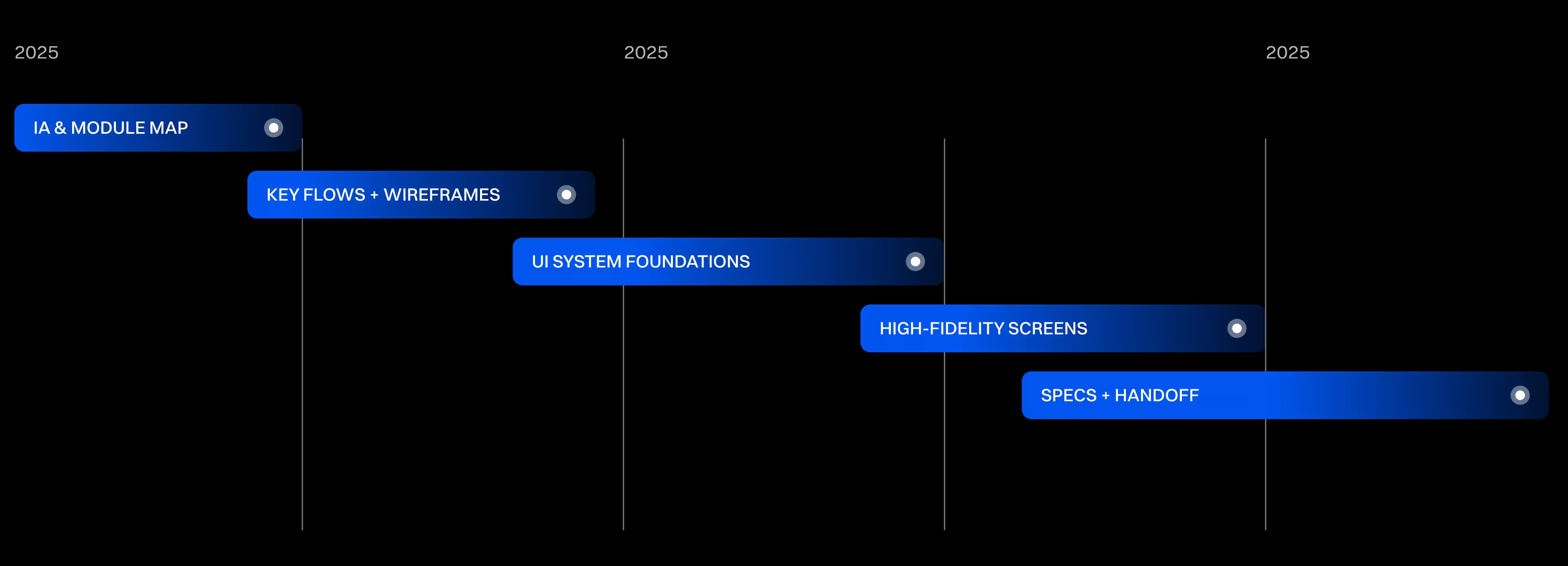
Work ran with visible checkpoints: structure first, then key flows, then UI foundations, then high-fidelity screens and implementation notes. This cadence reduced ambiguity and prevented rework during build.
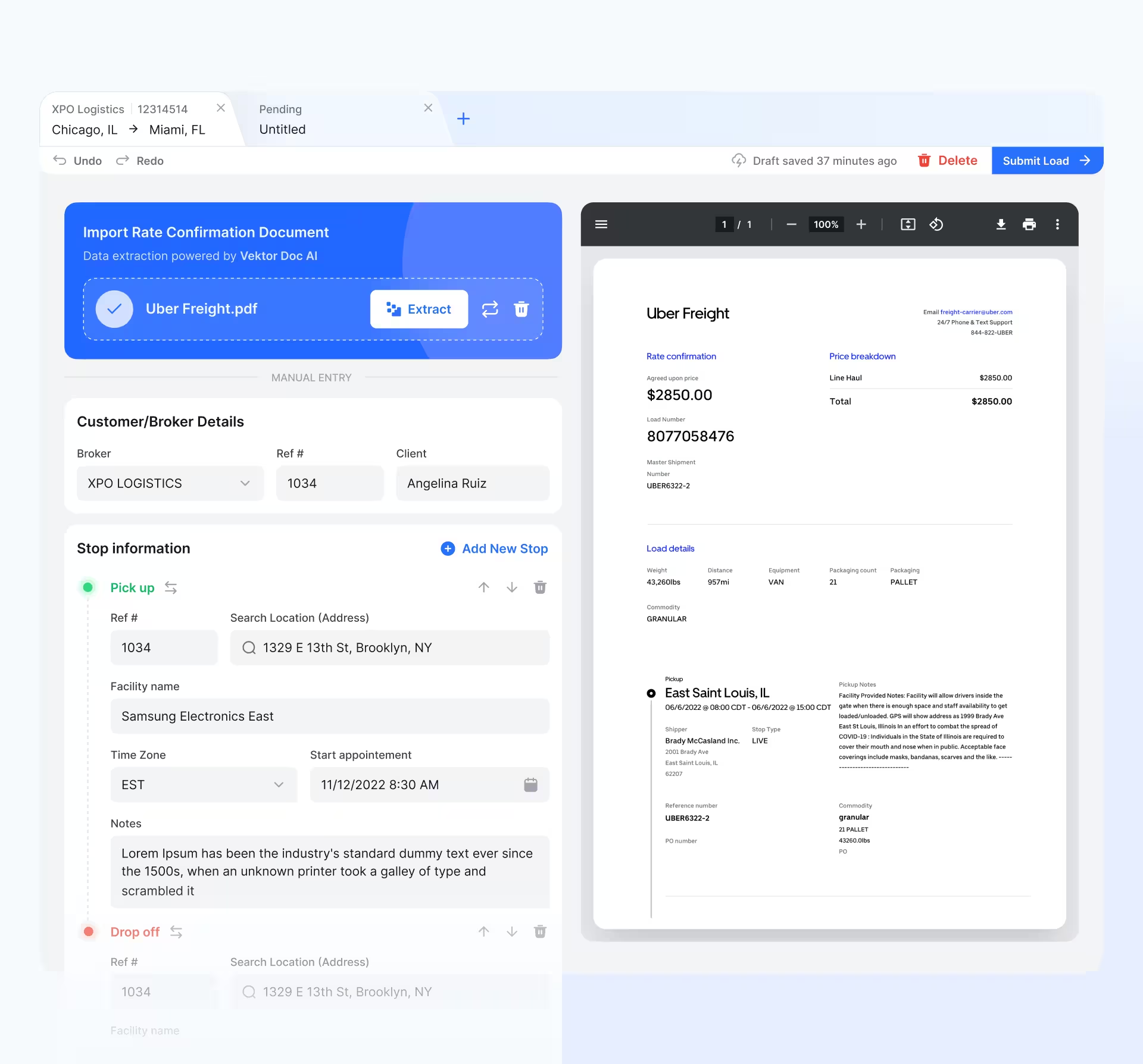
A new shipment arrives as a rate confirmation document, and the clock starts.
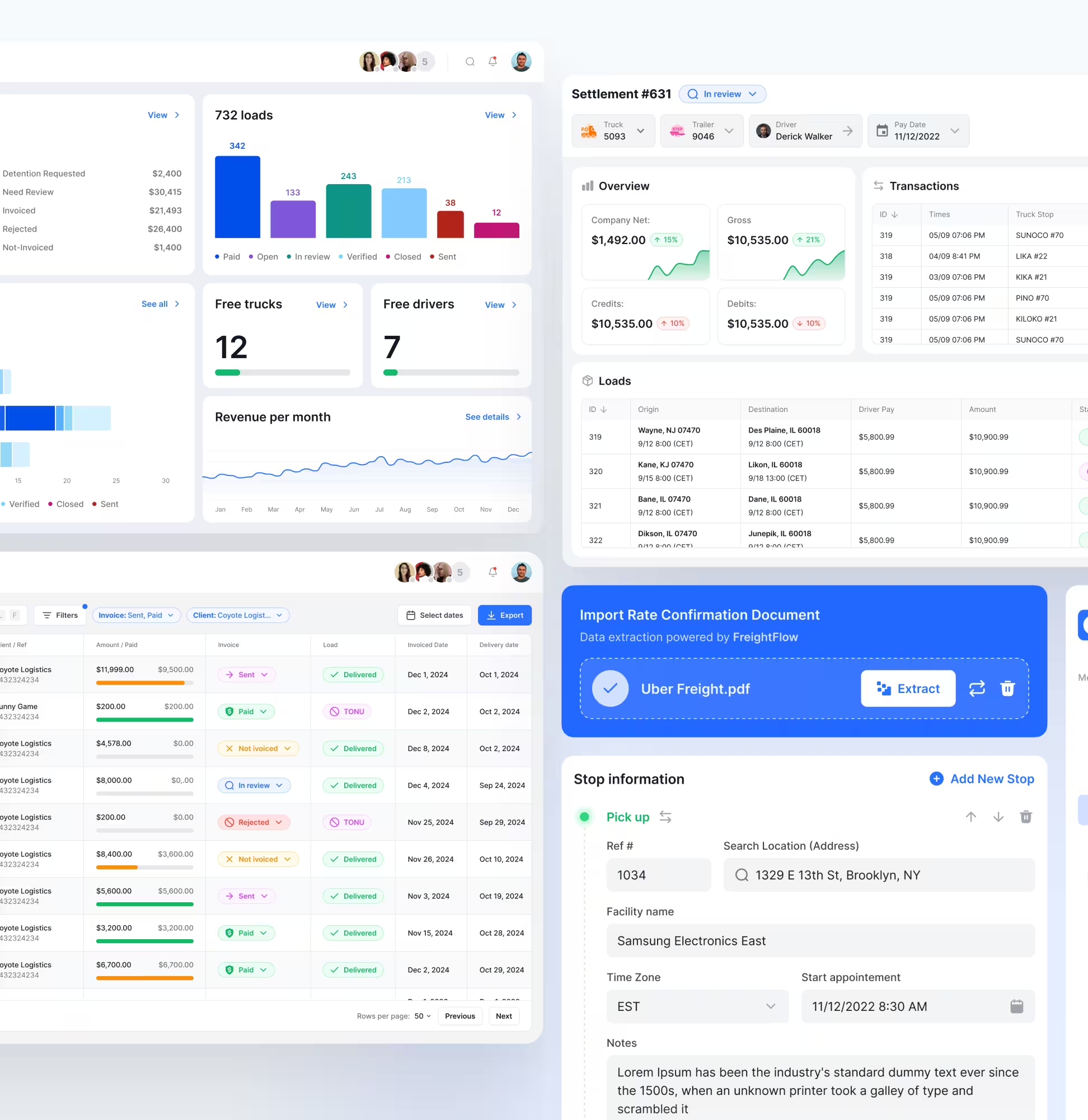
FreightFlow starts with document upload, then extracts key fields into the load form. Users review, correct, and submit without retyping everything.
Loads are created faster with fewer manual fields.
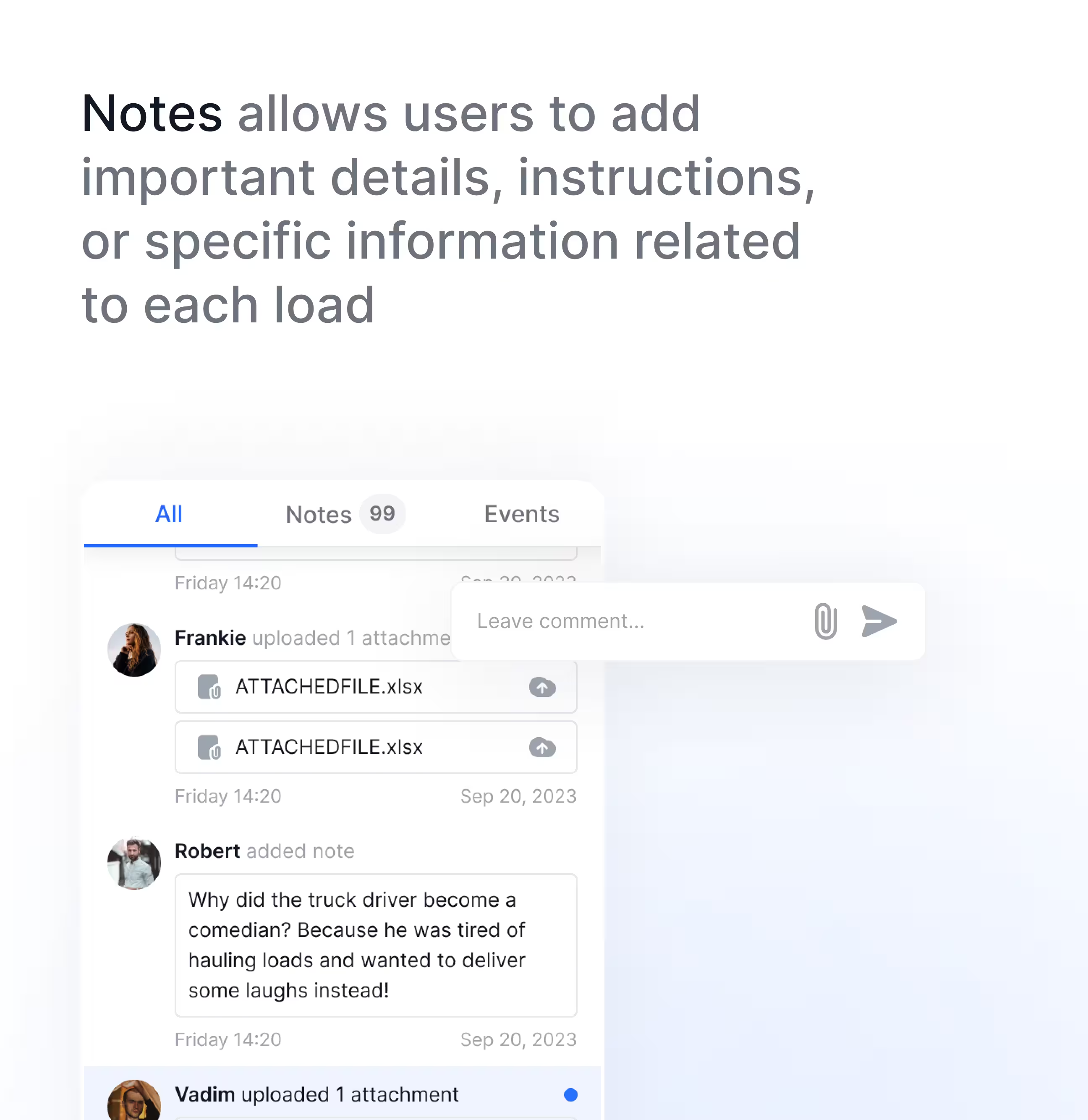
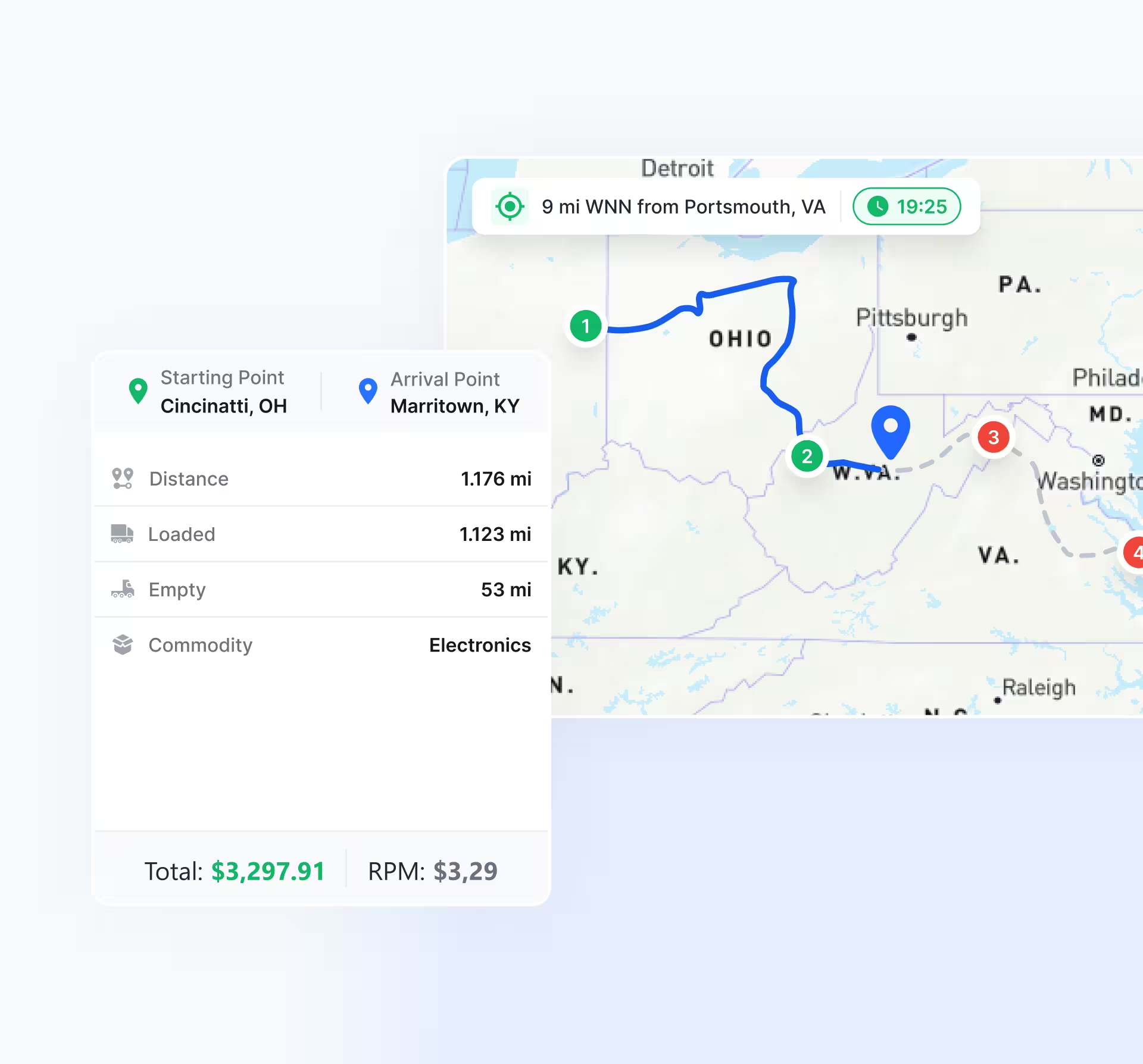
While a truck is moving, details change: stops shift, notes appear, exceptions happen.
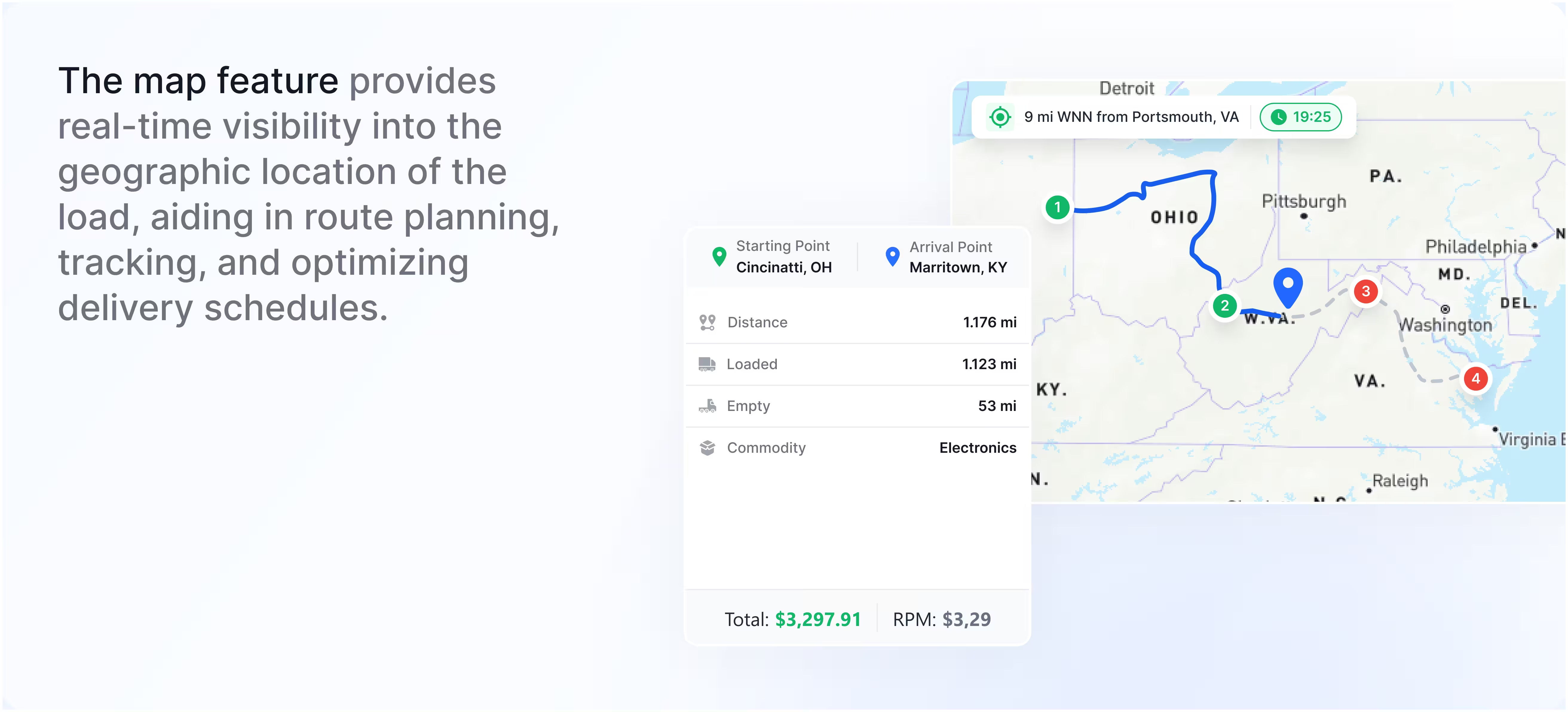
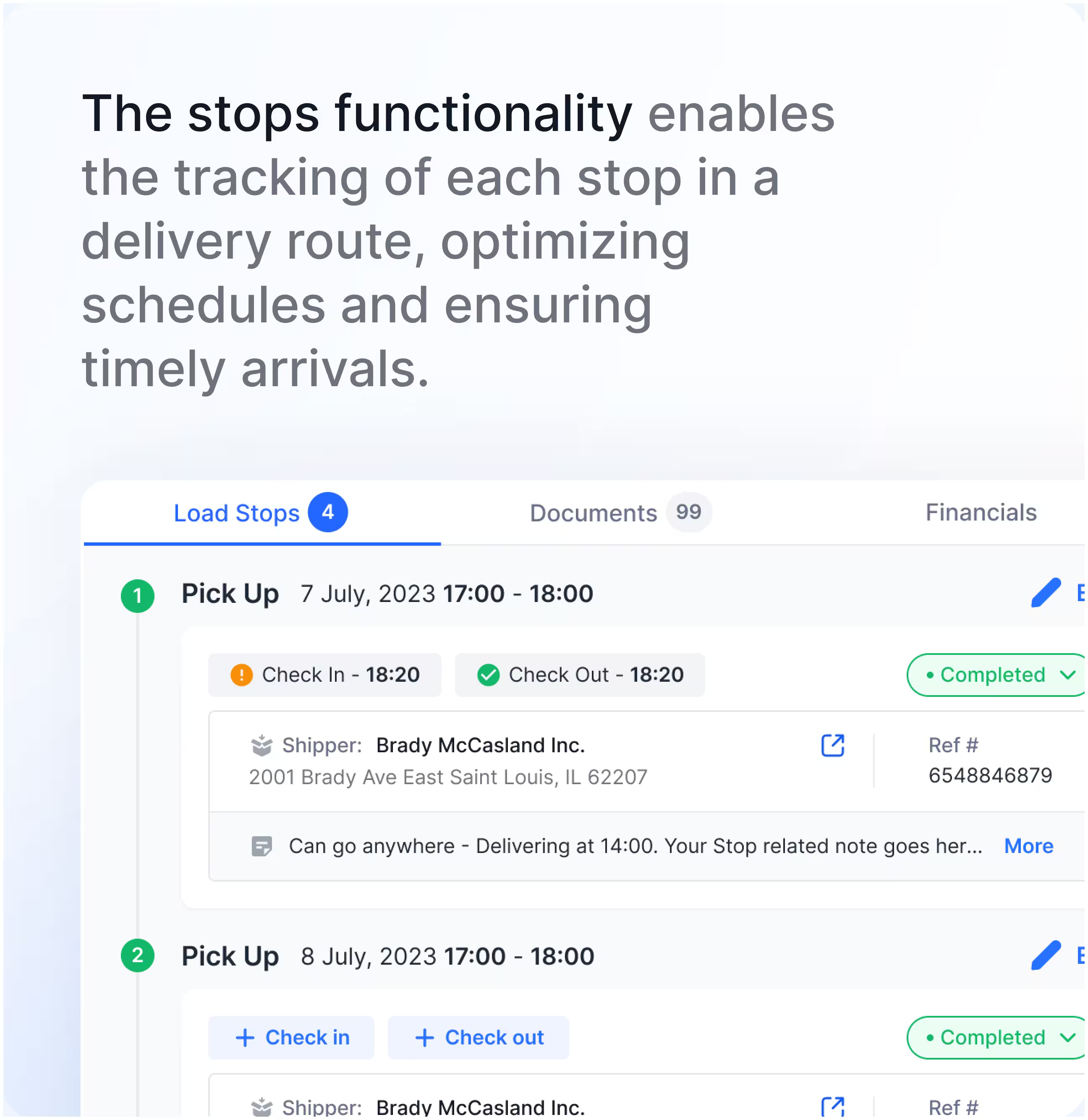
Loads management combines map visibility, stop tracking, and notes/events into a single workspace.
Exceptions are resolved faster because updates stay in one workspace.
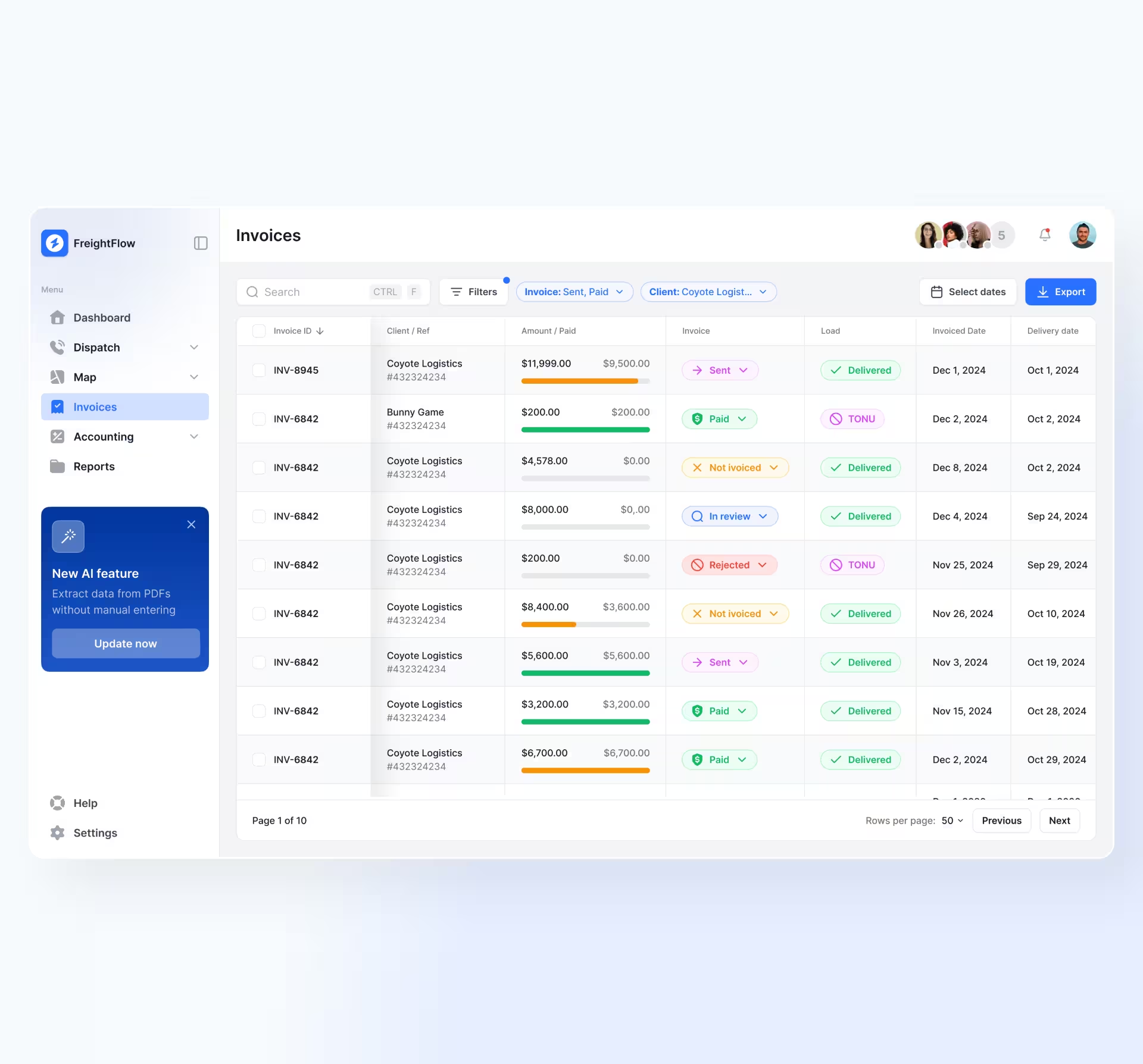
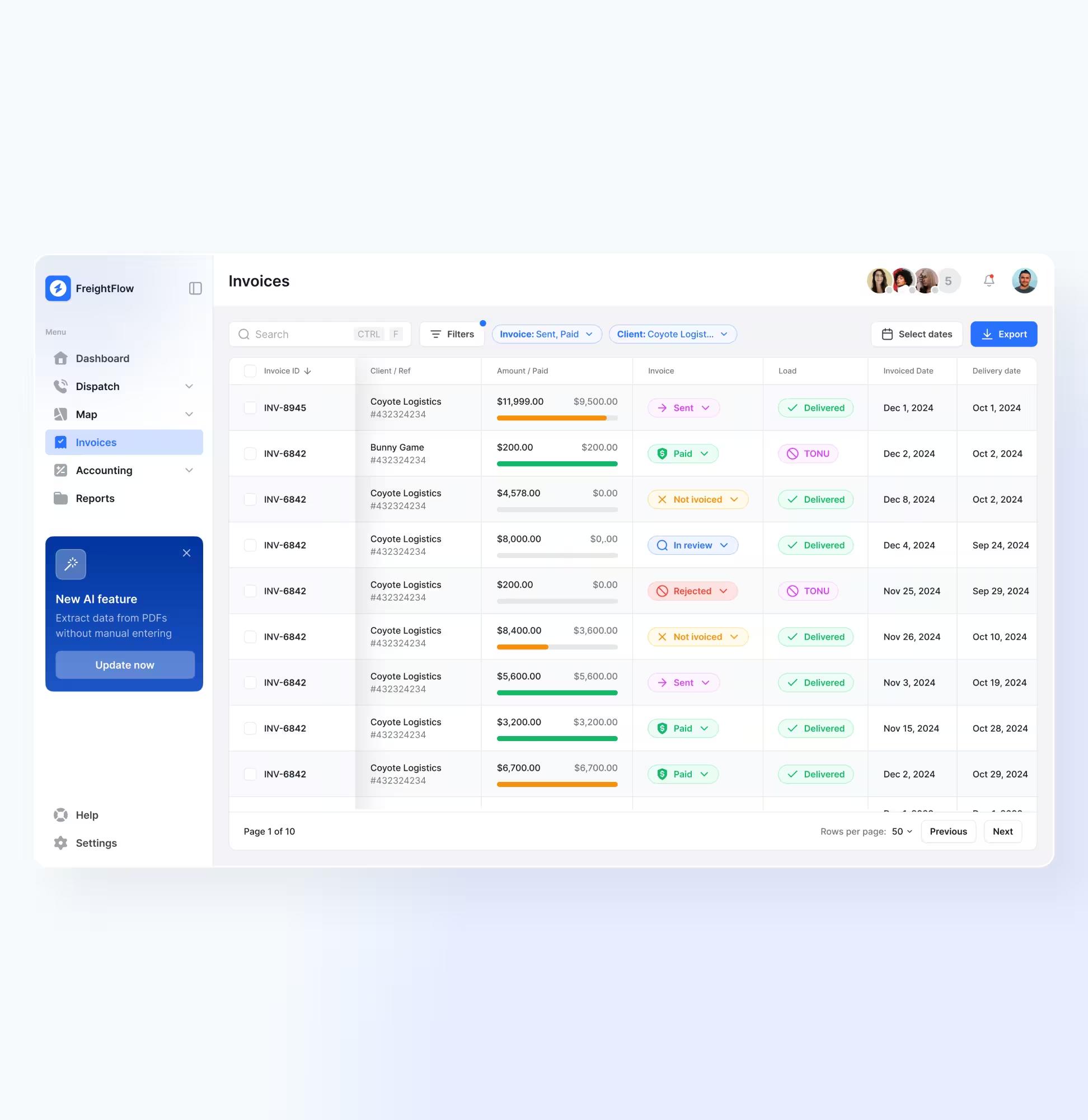
Accounting needs to know what to send,
what’s blocked, and what’s paid.
Invoices are designed as an action queue with status chips, filtering, and export for fast scanning.
Accounting instantly sees what needs action next.
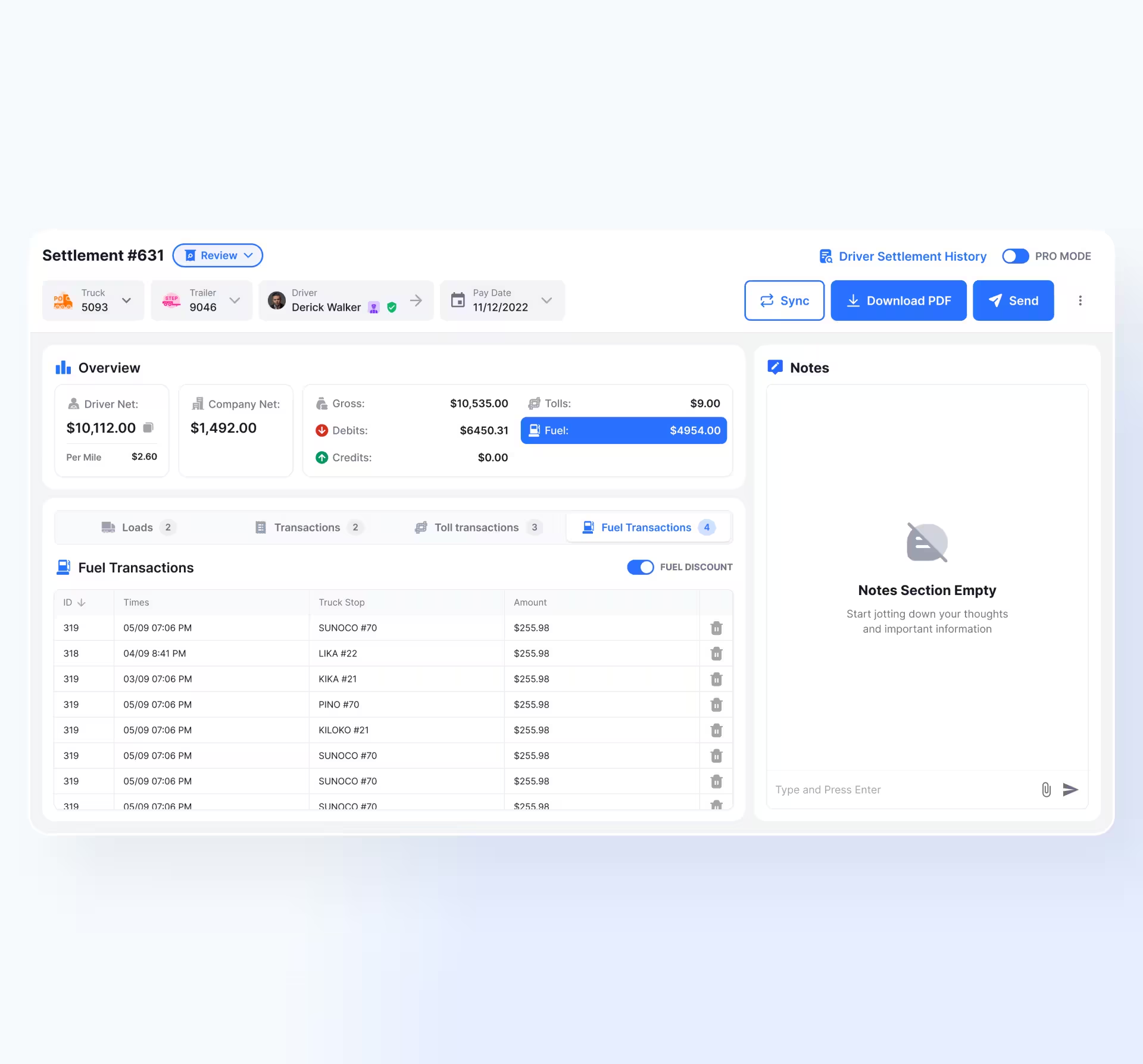
Settlements combine pay, fuel, and extras;
inconsistencies cause back-and-forth.
Settlement becomes a dedicated workspace with totals, transactions, and related loads, plus export/send.
Settlements close with fewer revisions and clarifications.
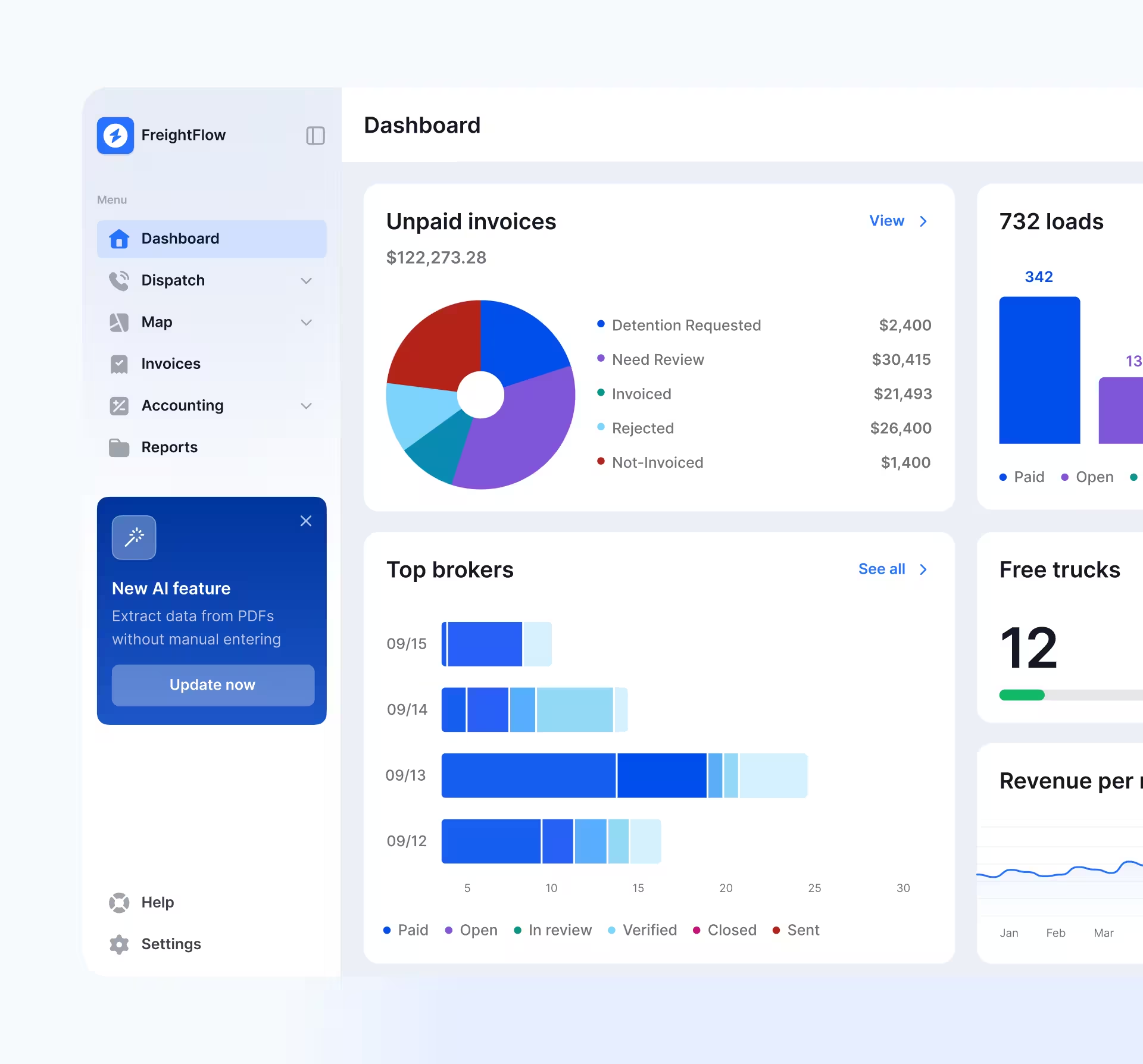
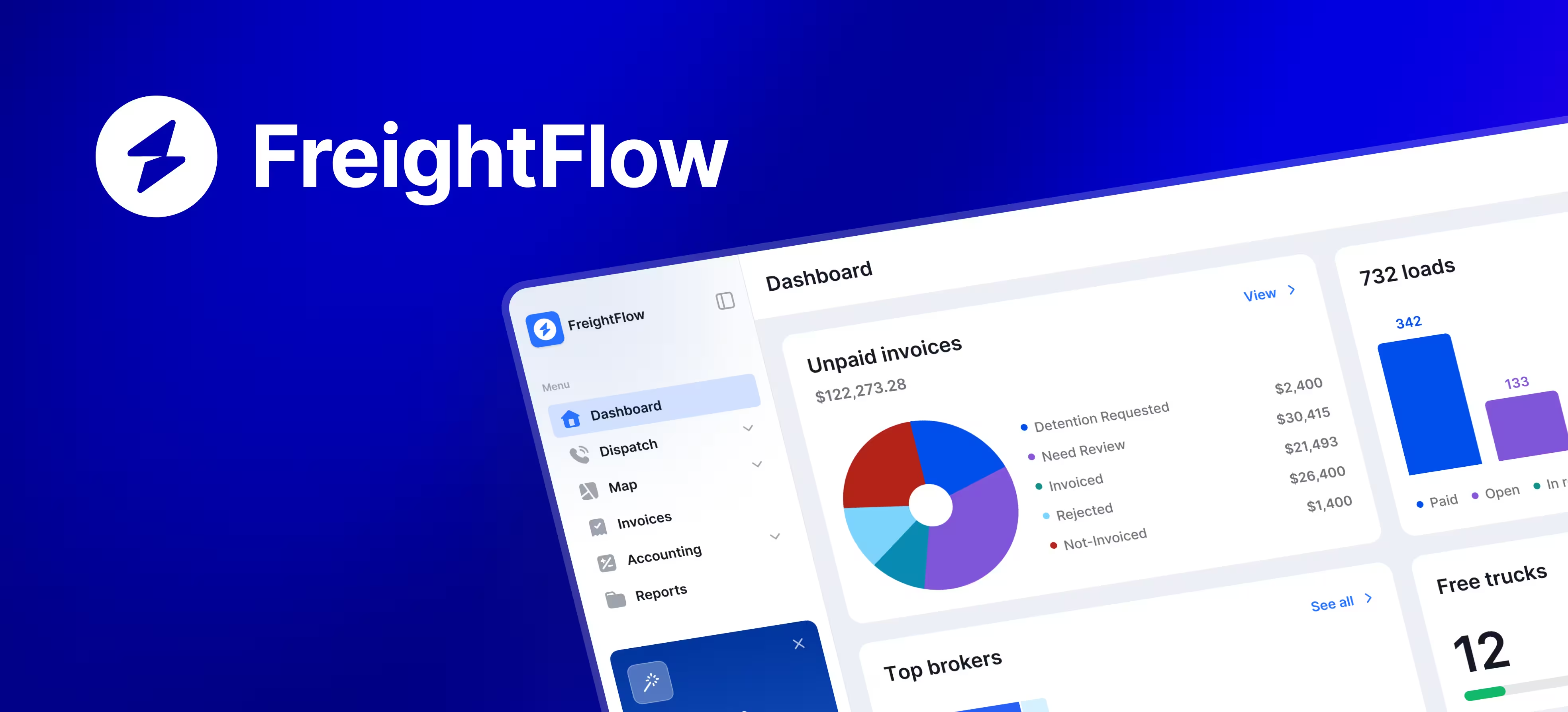
Leaders need an instant pulse without building reports.
Dashboard surfaces signals like unpaid invoices, capacity, and revenue trend for quick checks that prompt
Managers spot capacity and cash-flow risks earlier.
FreightFlow's hero moment is turning a rate confirmation document into a workable load. Upload the document, extract key fields, review stops and details, then submit. The flow reduces startup friction while keeping humans in control where accuracy matters.
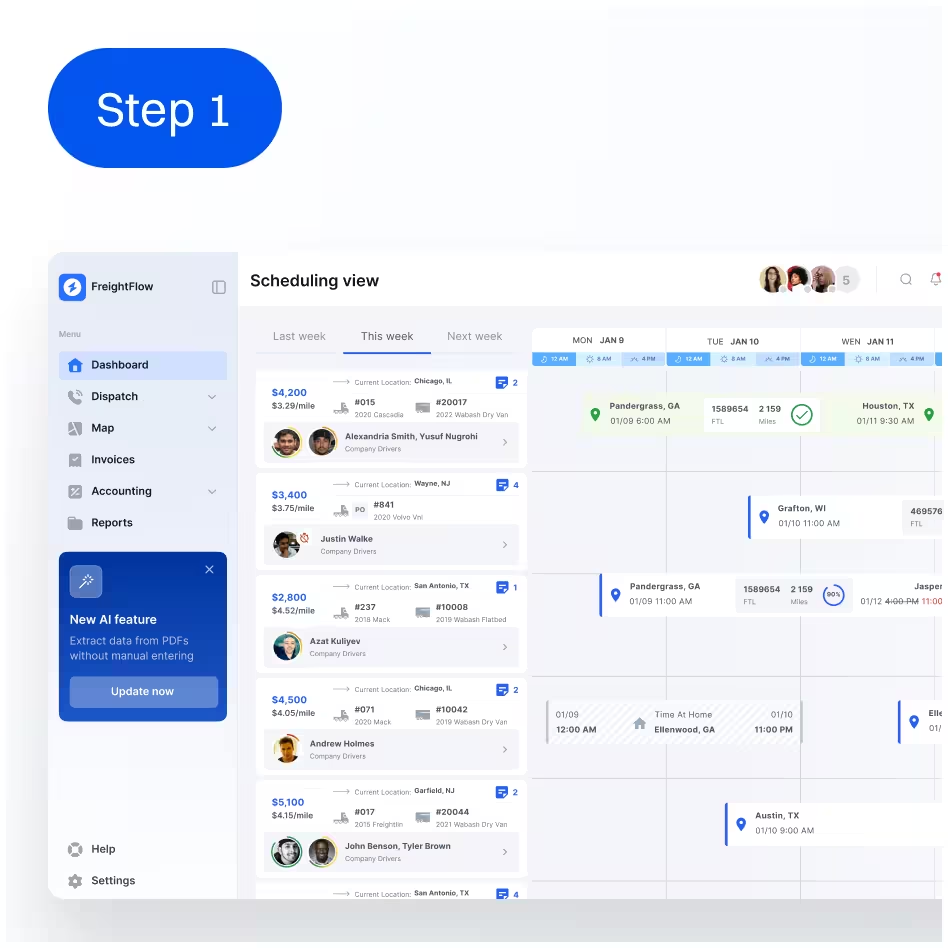
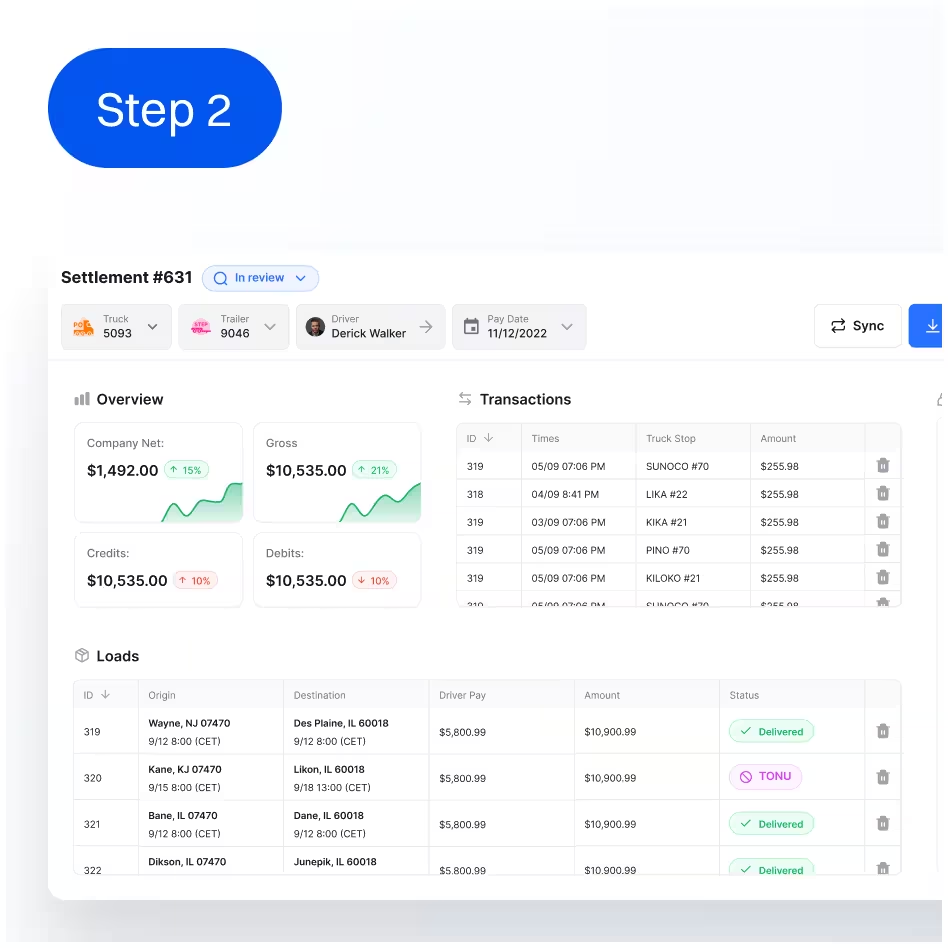
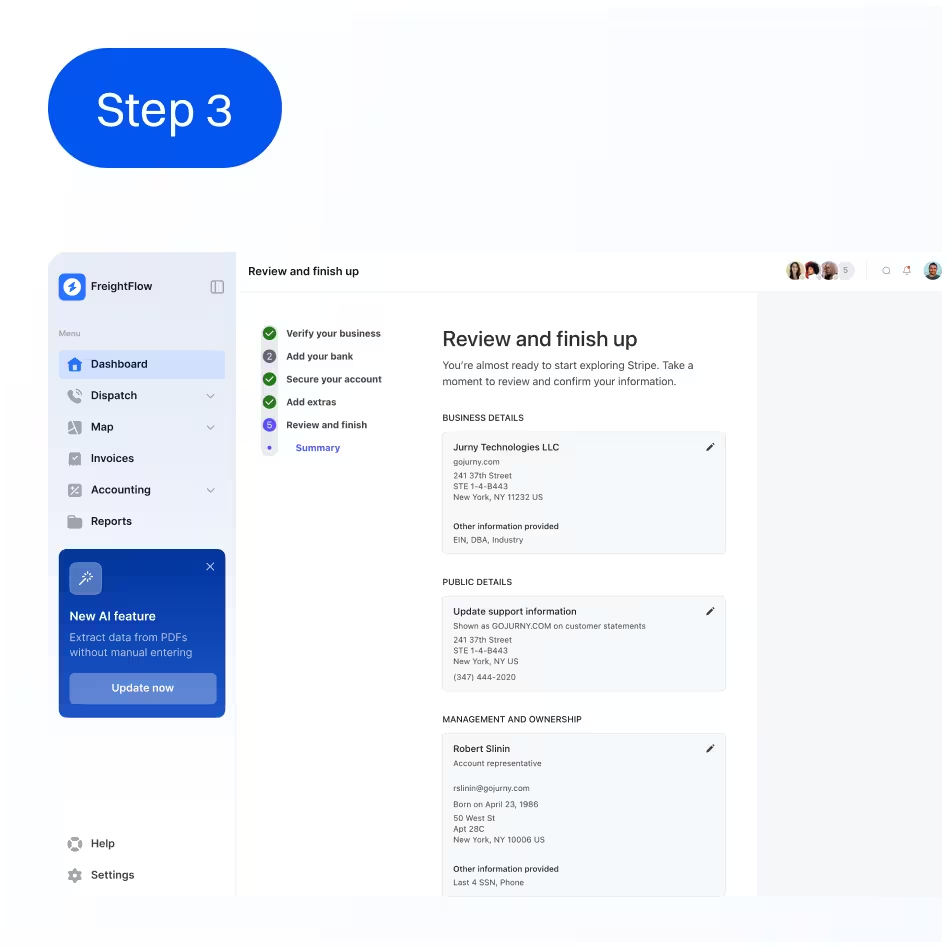
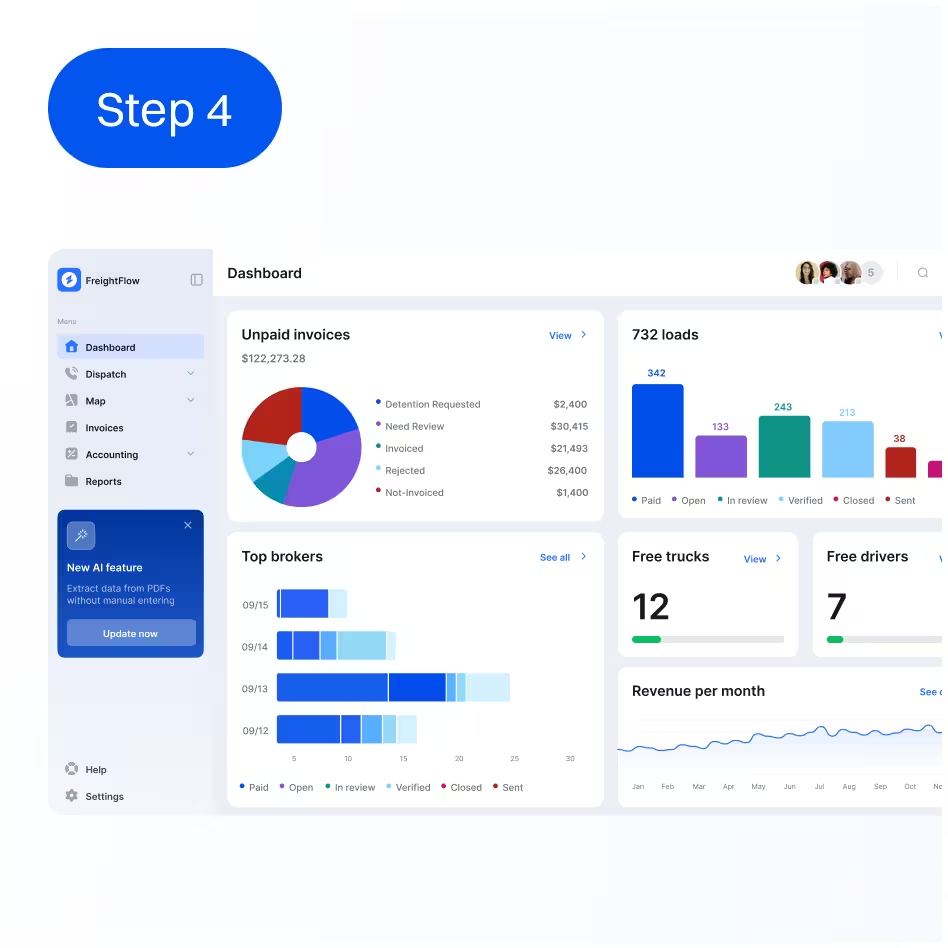
Navigation mirrors intent: dispatch work, load execution, finance operations, then reporting - each as a stable "home" with predictable tables and filters. The hierarchy supports fast decisions by keeping status, ownership, and next actions visible in the same places across modules.
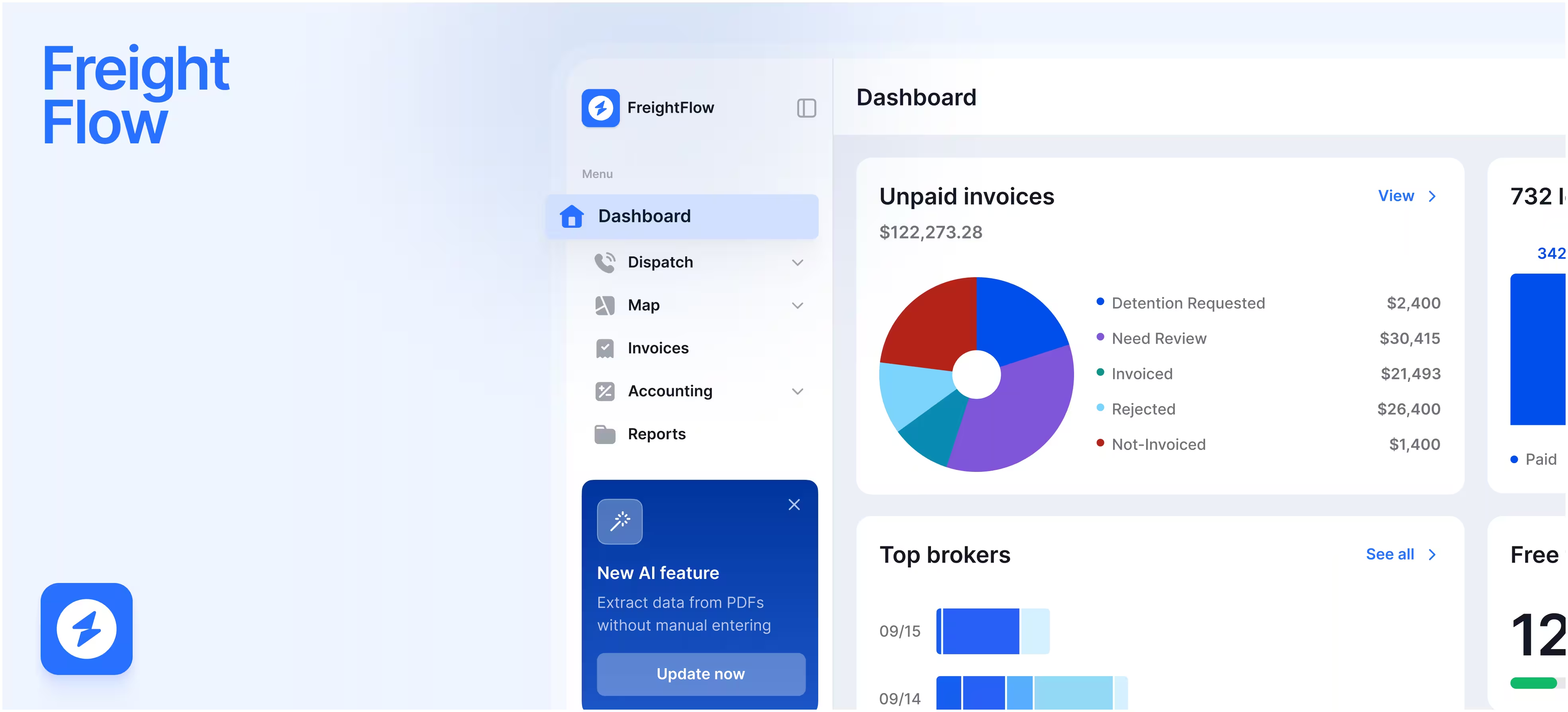
FreightFlow was designed to scale through a consistent UI system: reusable components, table patterns, and clear state handling. Status chips standardize how work moves across loads, invoices, and settlements. Shared tokens (typography, color, spacing) and component variants reduce one-off solutions and help prevent regressions as modules expand.
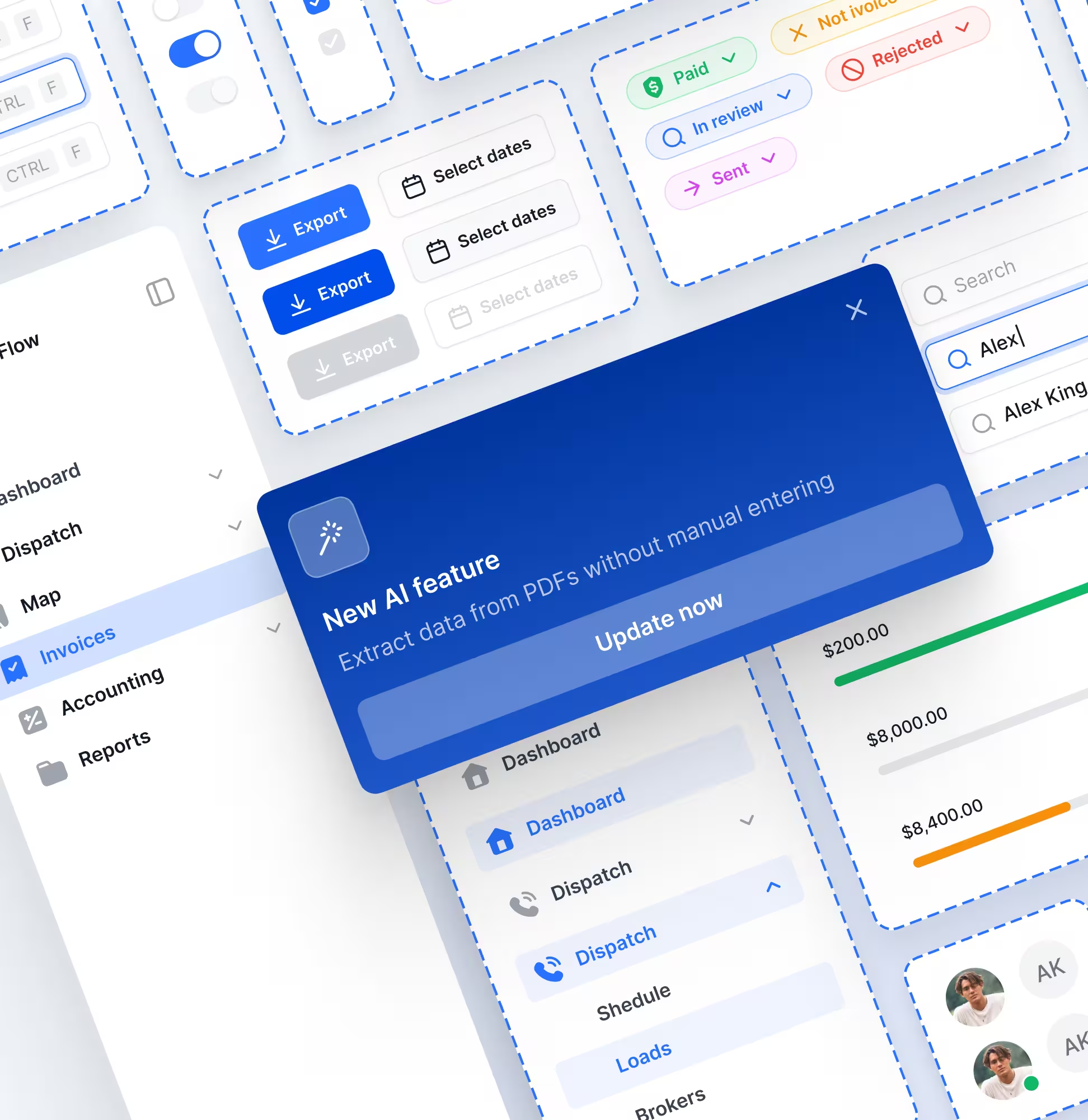
For a new ops-heavy product, the main risk is misunderstanding states and edge cases. We treated clarity and controllability as first-class requirements and validated flows through scenario walkthroughs.
Scenario
walkthroughs by role
Edge-state coverage (empty/ loading/ error)
Component state
review before handoff
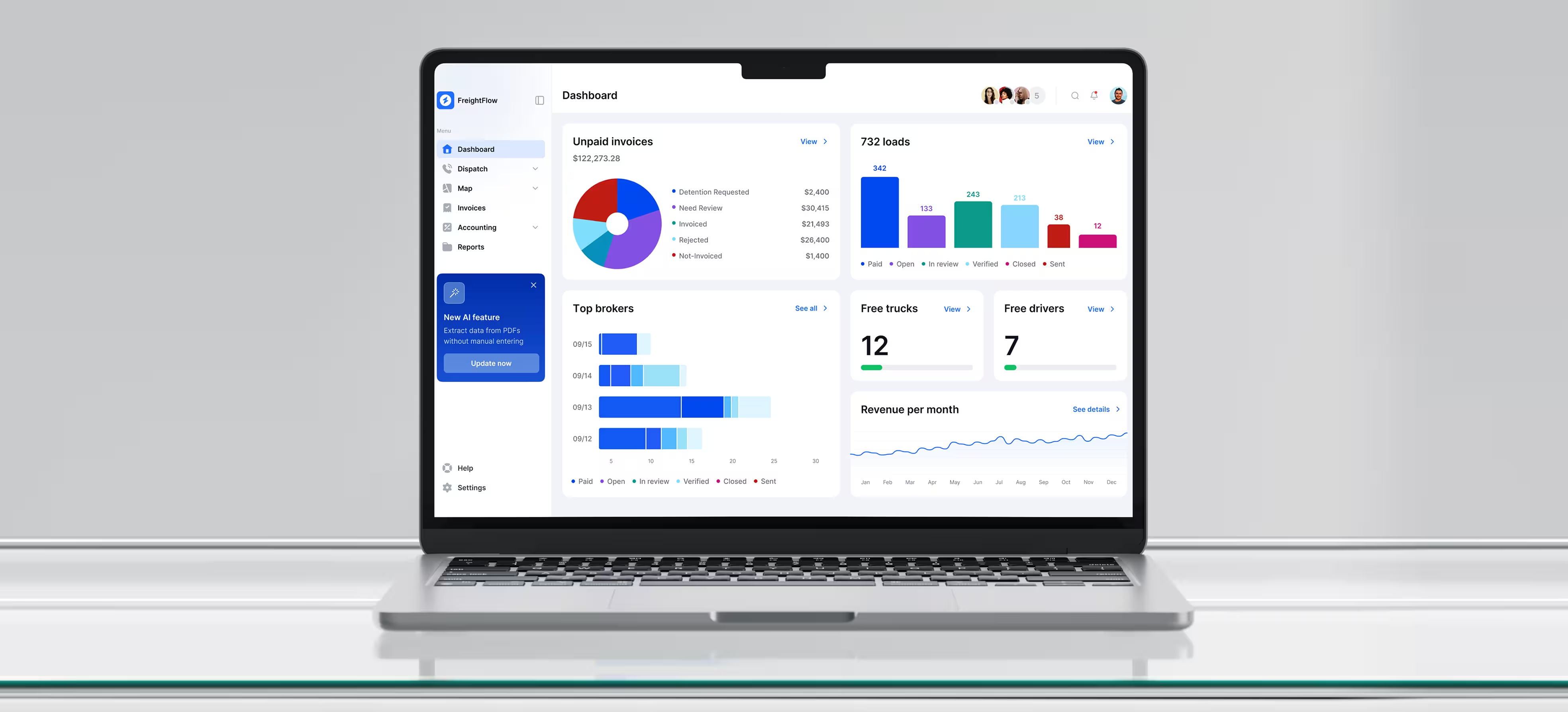
To reduce developer back-and-forth, we packaged the work around reusable patterns and explicit states. Core workflows were designed responsively and documented with consistent component behaviors, making implementation and future modules faster and safer.
Map and hierarchy.
Typography and color tokens.
Variants and states.
High-fidelity responsive screens for core flows
Whether you are launching a SaaS product, redesigning an existing platform, or improving the website around it, we can help create a clearer and more scalable product experience.