GuestReply
A PropTech CRM helping property teams answer guests faster without losing a personal touch.
A PropTech CRM helping property teams answer guests faster without losing a personal touch.
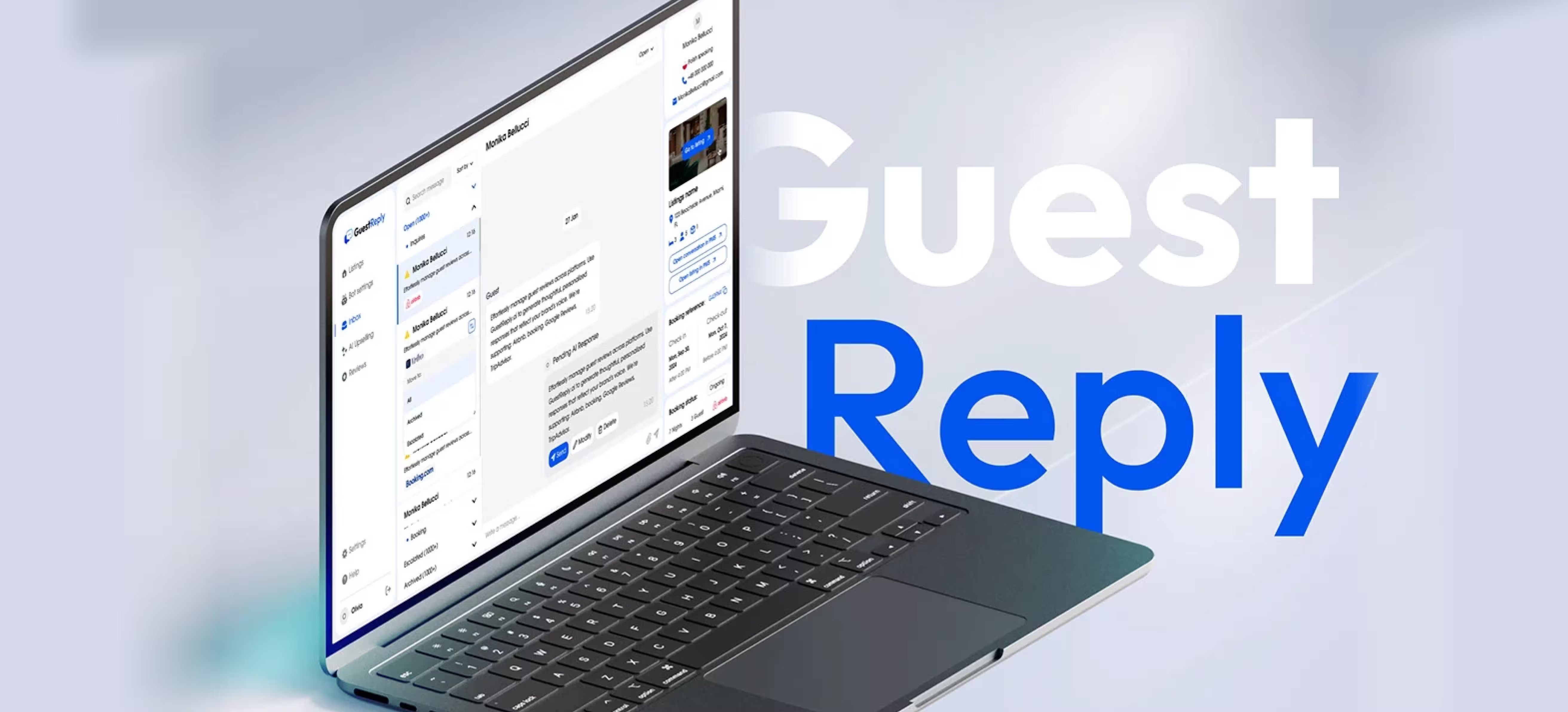
GuestReply is a PropTech SaaS web app that helps hosts and property teams handle guest communication at scale. The product focuses on a unified inbox, AI-assisted drafts, controllable auto-pilot, listings sync, and review replies. This document specifies the website case page structure, copy blocks, and visual requirements for implementation.
Manual guest replies collapsed during peak seasons and after-hours.
Map real workflows, benchmark competitors, then design controllable automation
Unified inbox, AI-assisted replies, listings sync, and review responses.
Faster, more consistent communication using success proxies.
A property manager opens GuestReply right after check-in time, when questions pile up. They scan the inbox, jump into a thread, and let AI draft a reply in the right tone. If it is after-hours, Auto-pilot handles routine questions while escalations stay visible. Later, the same workspace is used to sync listings and respond to reviews, so nothing gets scattered.
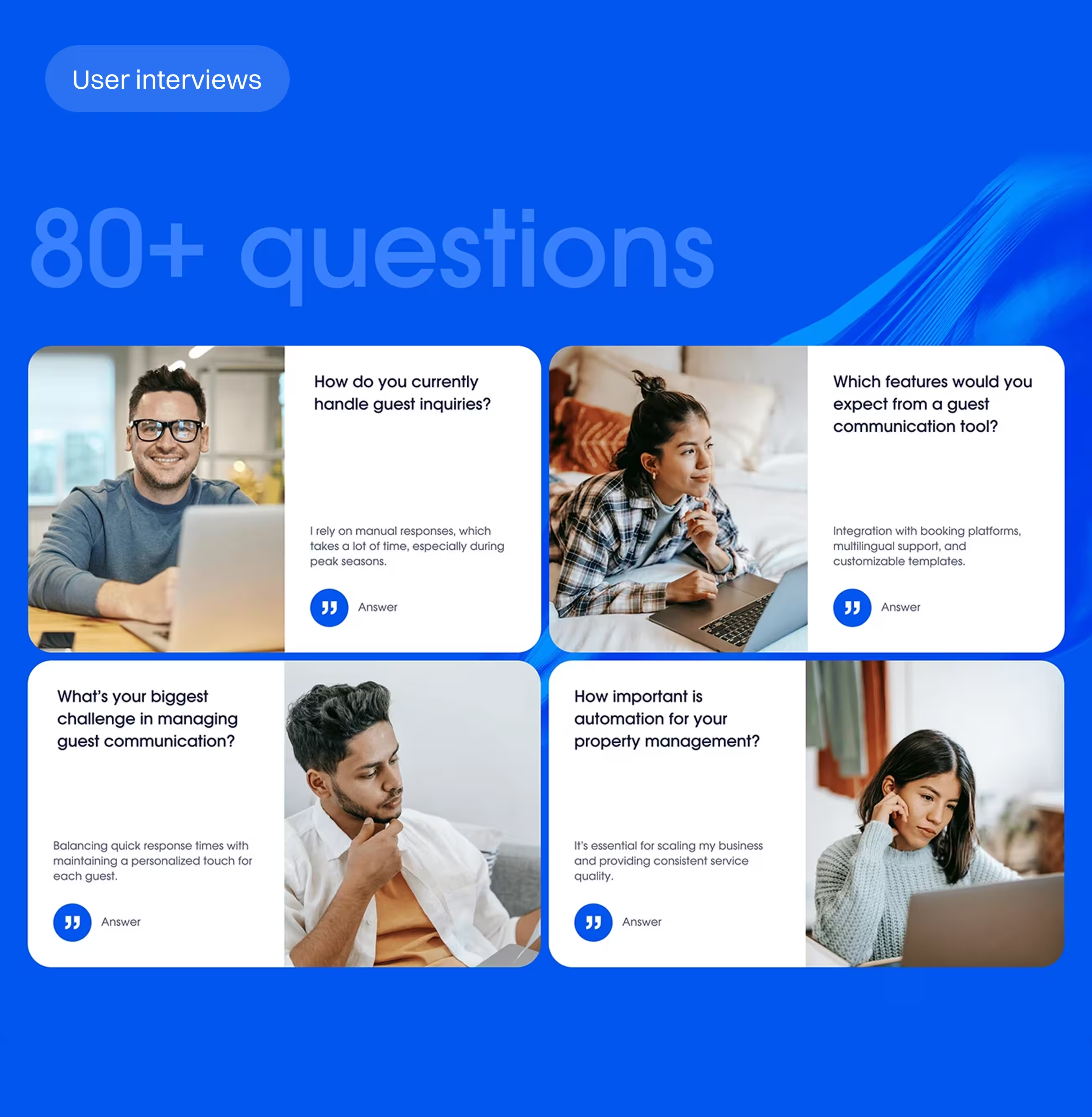
When every message is answered manually, small delays become a backlog. Peak-season volume and late-night requests amplify the cost: more copy-paste, more context switching, and more rework. Over time, speed competes with personalization, and teams burn out.
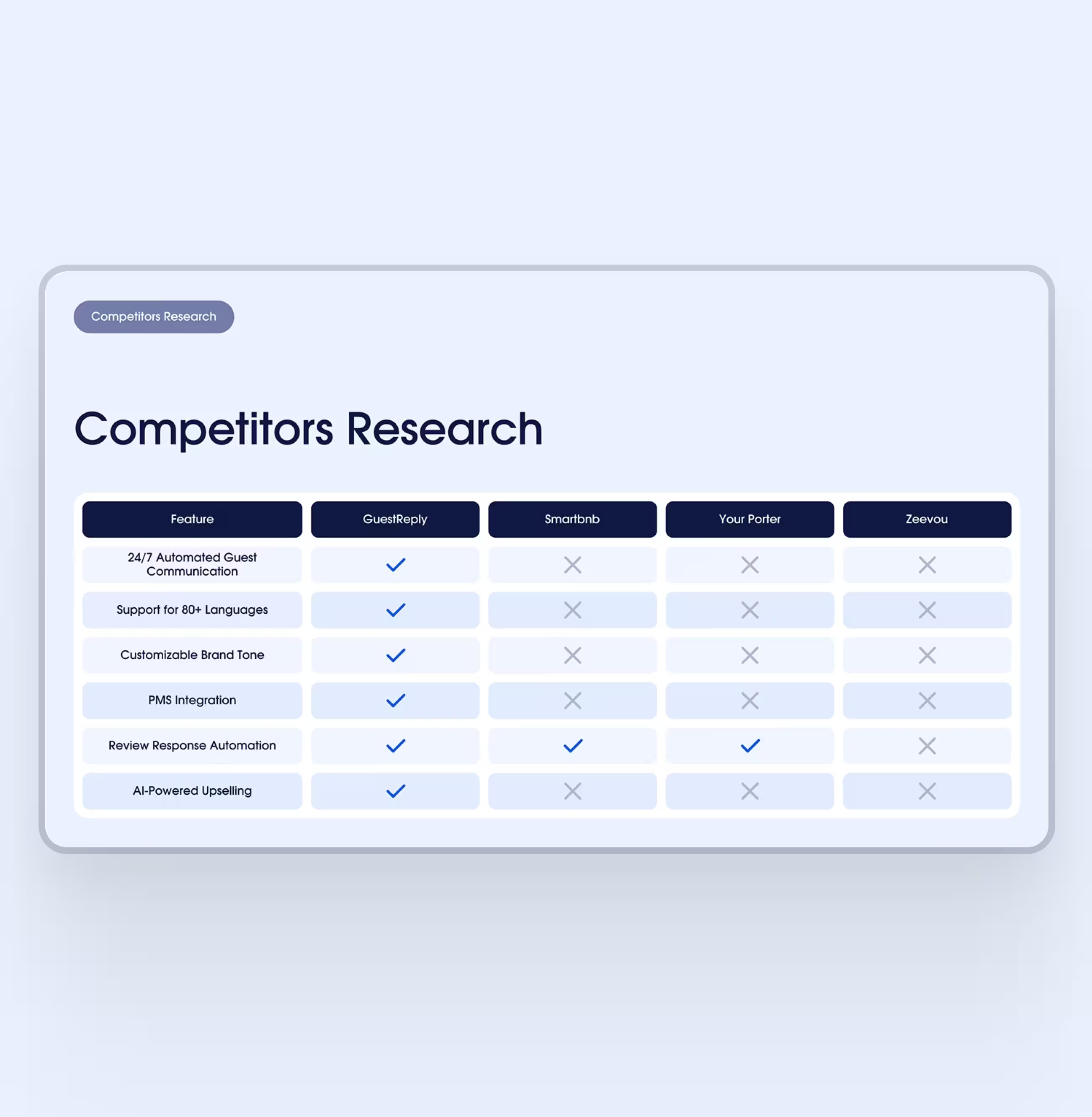
We designed around real moments instead of screens: a late-night guest question, a listing update, and a review that needs a brand-safe reply. From those scenarios, we shaped flows, statuses, and guardrails so AI assistance stays predictable and easy to override.
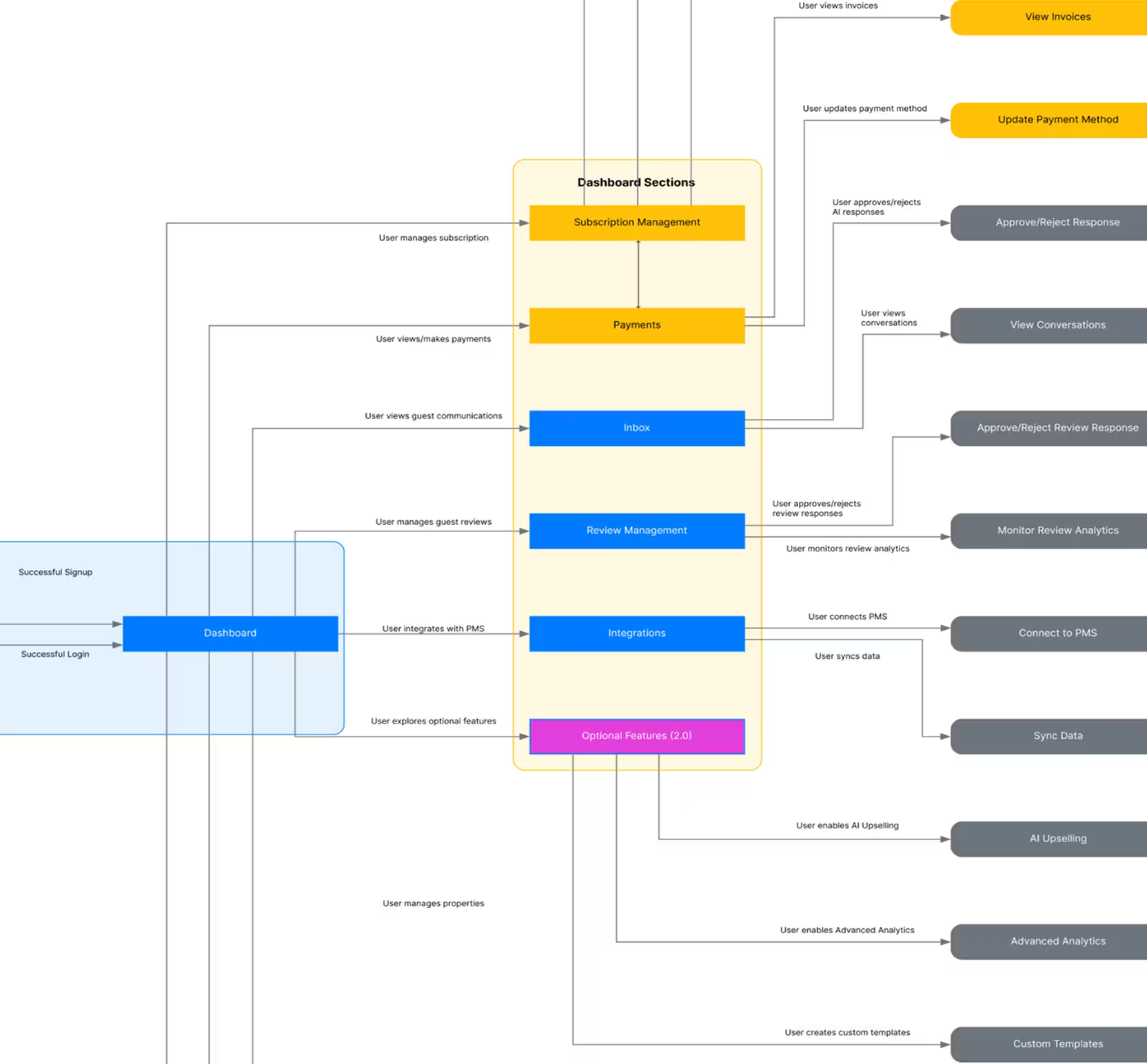
Work ran with visible checkpoints: discovery evidence, a working flow map, a prototype for critical paths, then UI foundations to keep the build consistent. Decisions stayed traceable so the product could evolve without re-litigating basics.
Inbox designed for triage, not searching.
A manager answers guests while juggling multiple properties and interruptions
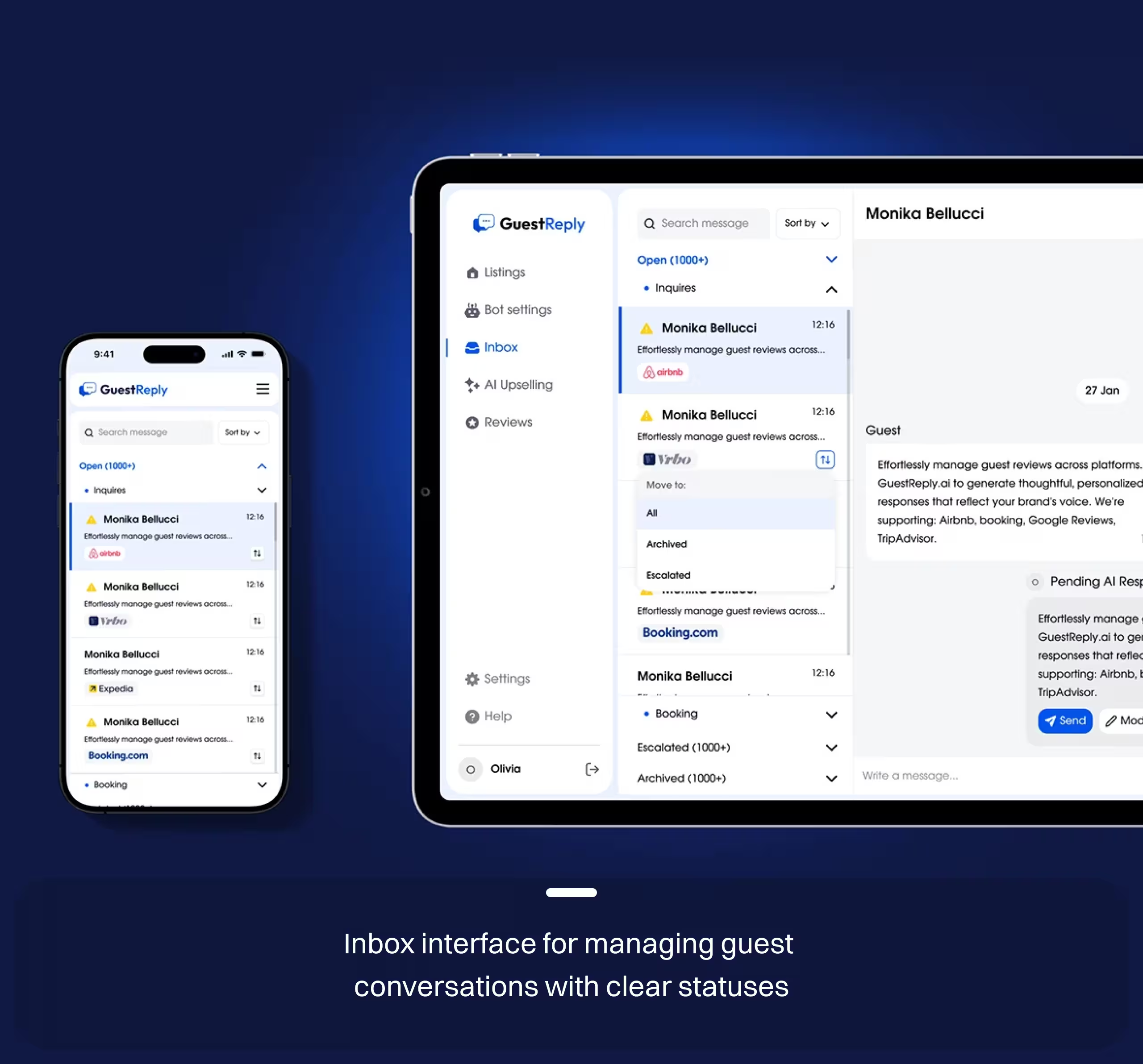
We designed a unified inbox that keeps threads, statuses, and AI drafts in one place. States make it clear what needs a human, what can be automated, and what is already resolved.
Fwer lost threads and less context switching.
Tone controls keep replies consistent
Teams want speed, but fear sending the wrong message.
We added voice and personality controls so AI-generated replies match a chosen tone. Automation is framed as assistance with visible states, not a black box.
More consistent tone across responders.
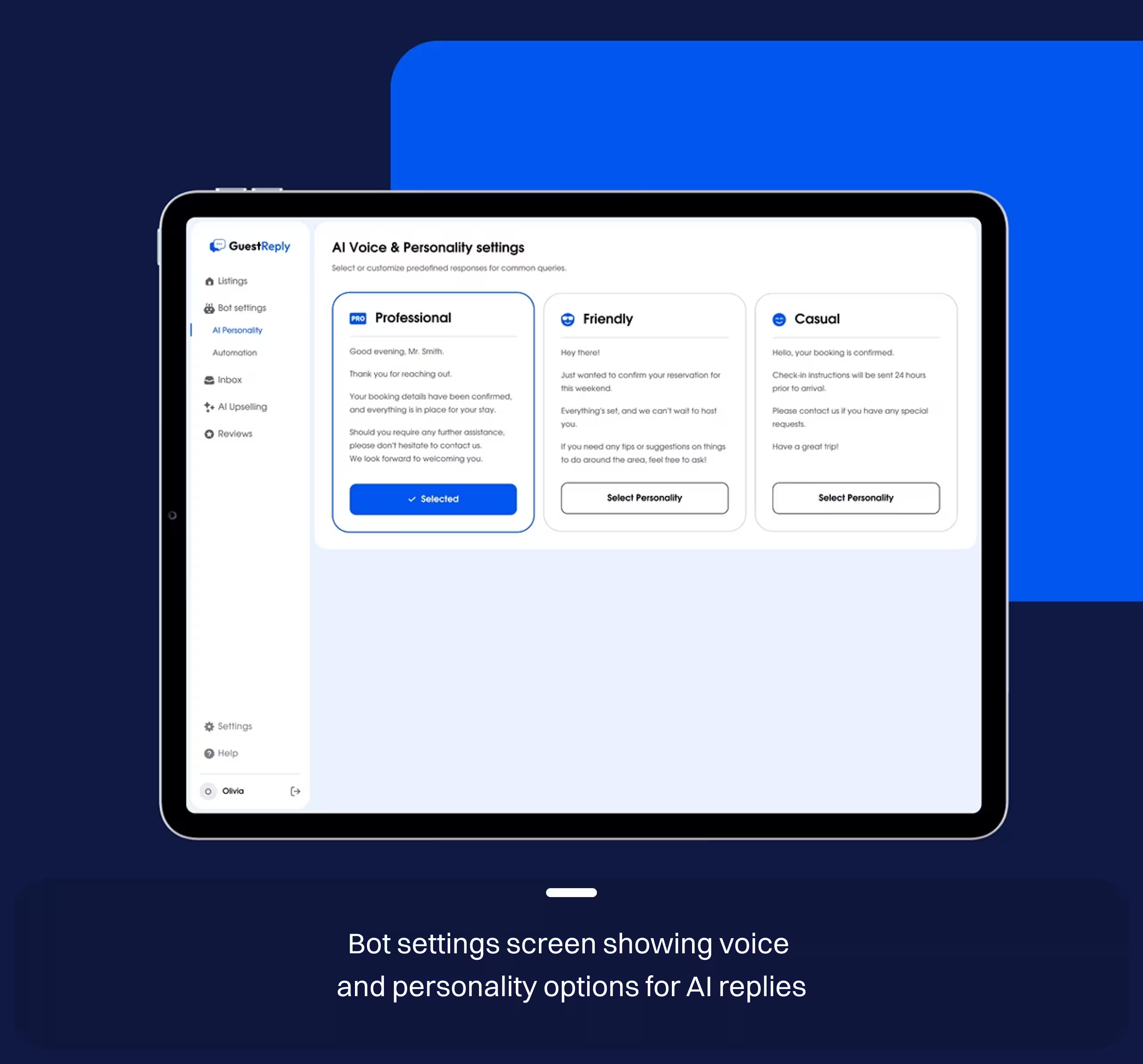
Inbox designed for triage, not searching.
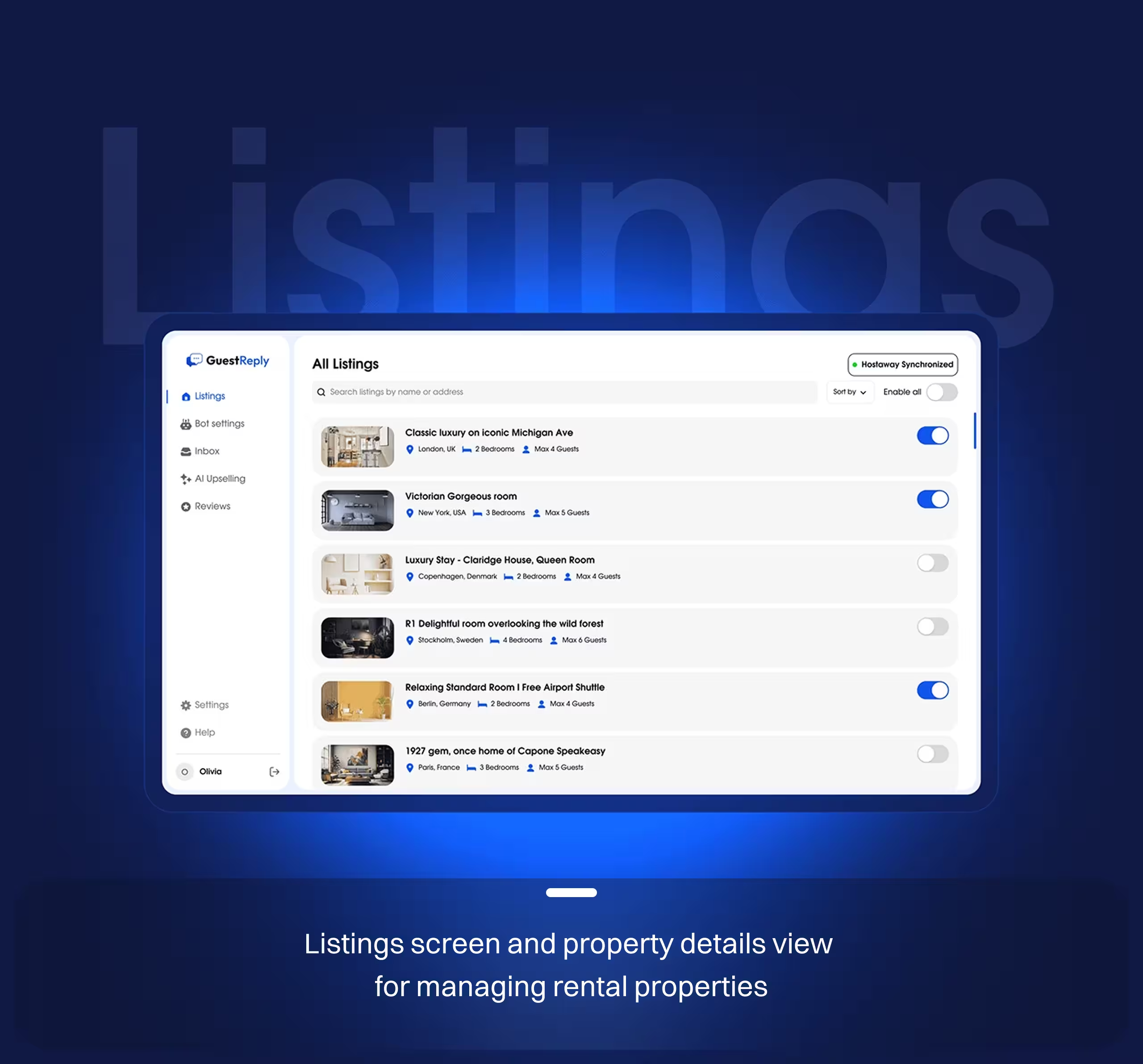
A guest asks details that depend on a specific property setup.
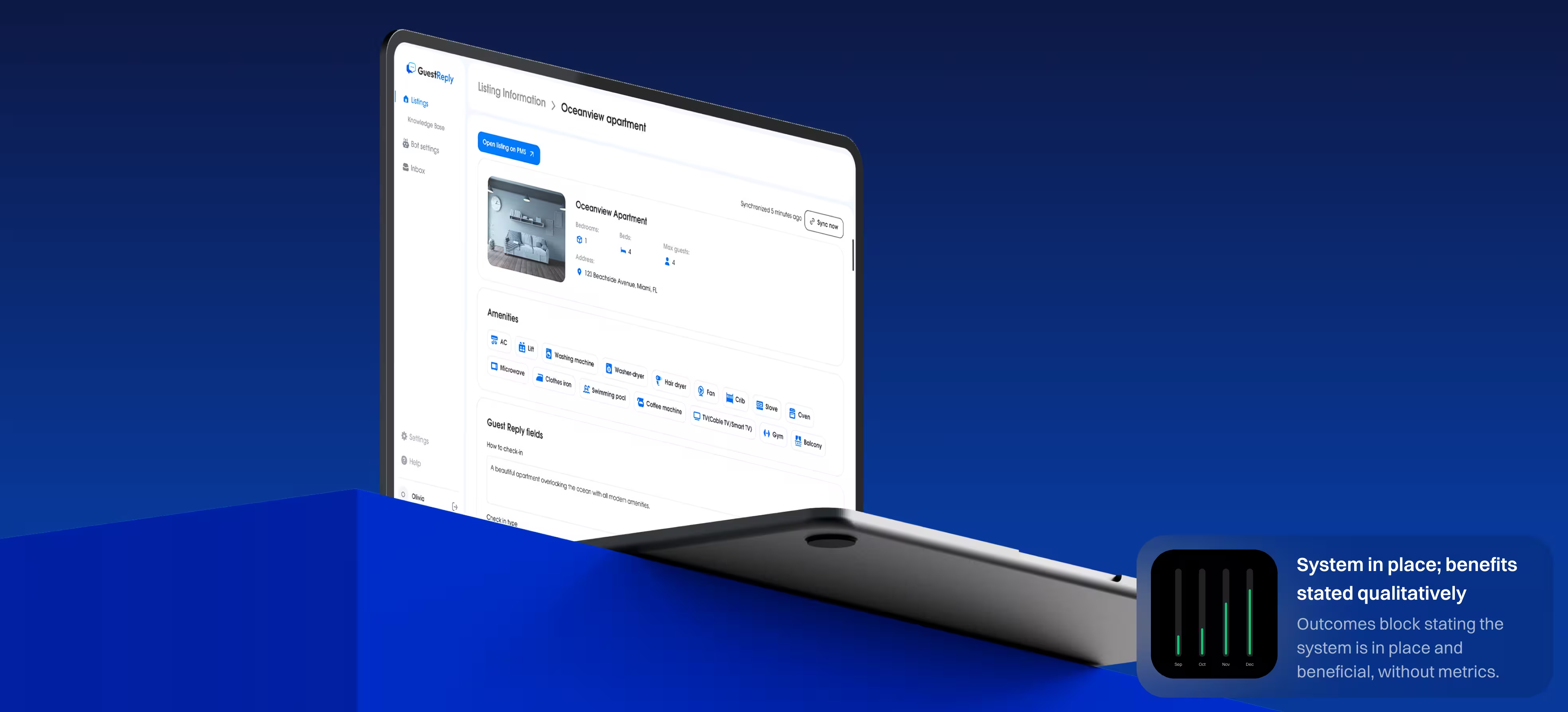
Listings were designed as a first-class workspace with clear sync state and fast access to property details. This reduces lookup friction and supports accurate replies.
Faster answers with fewer follow-up questions.
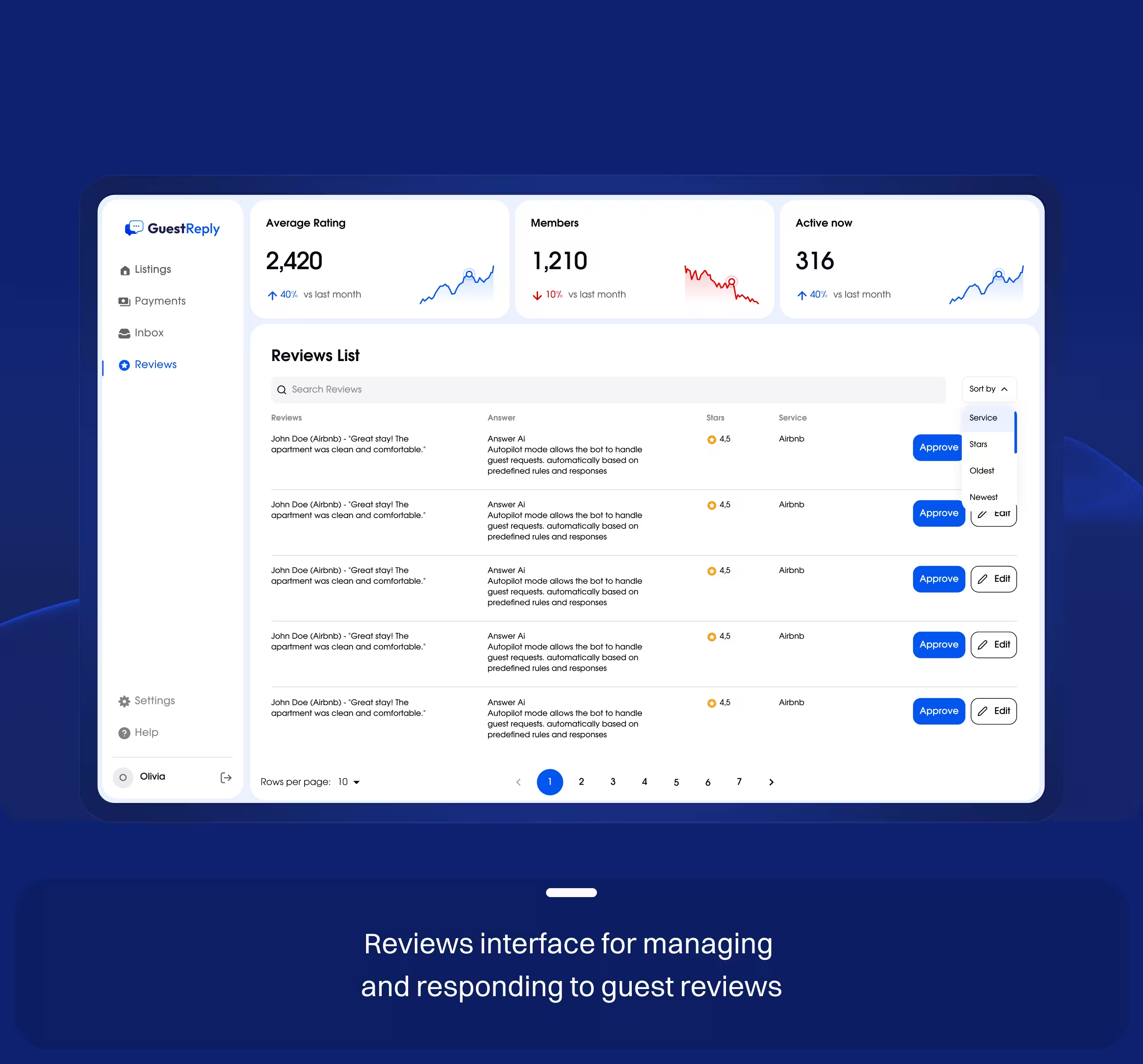
Reviews handled as a predictable workflow
Reviews arrive from different sources and require consistent replies.
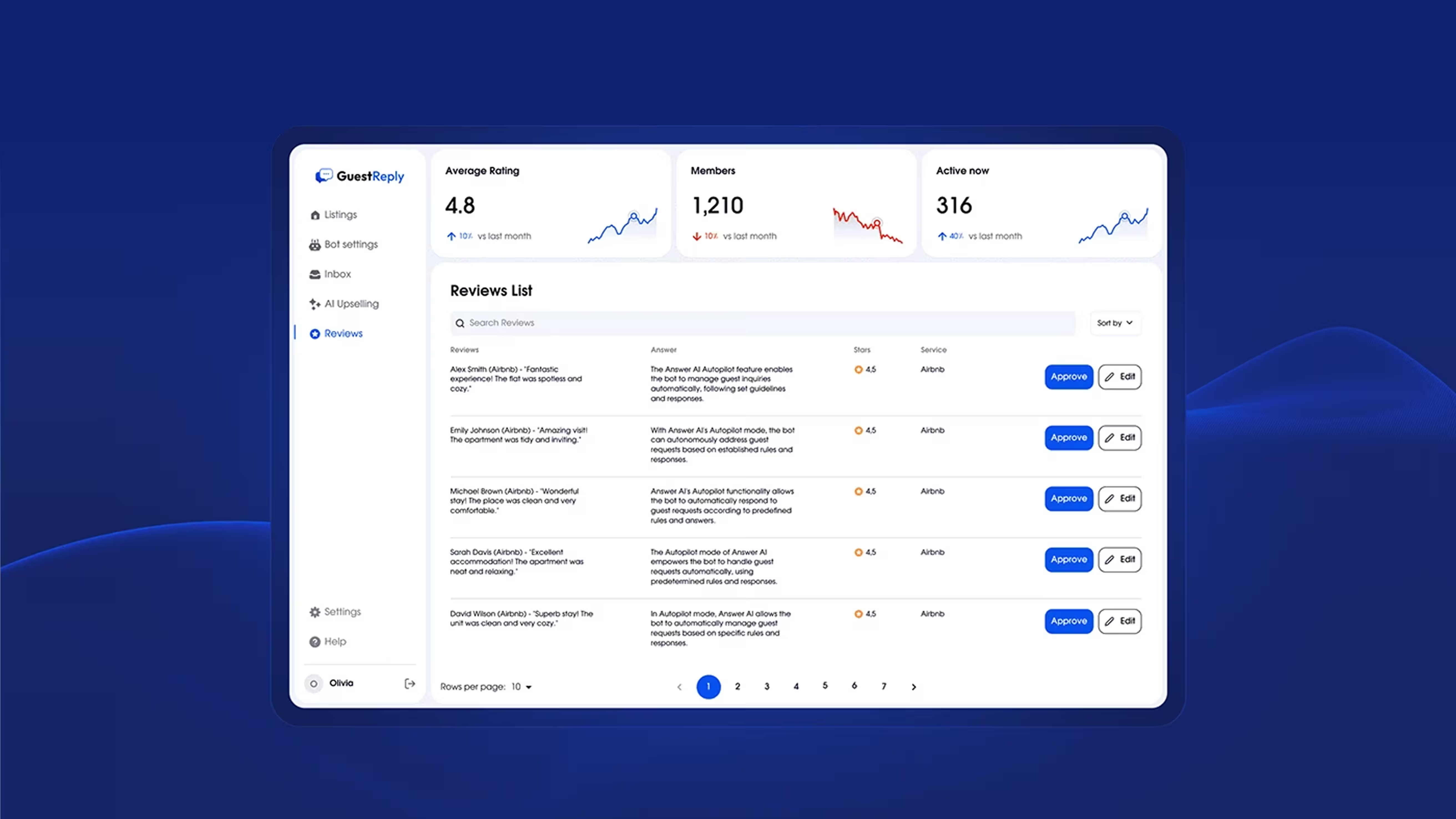
We treated reviews as a workflow, not a feed, making response generation and follow-through predictable. This keeps quality stable even when volume rises.
Shorter review response time and uniform tone.
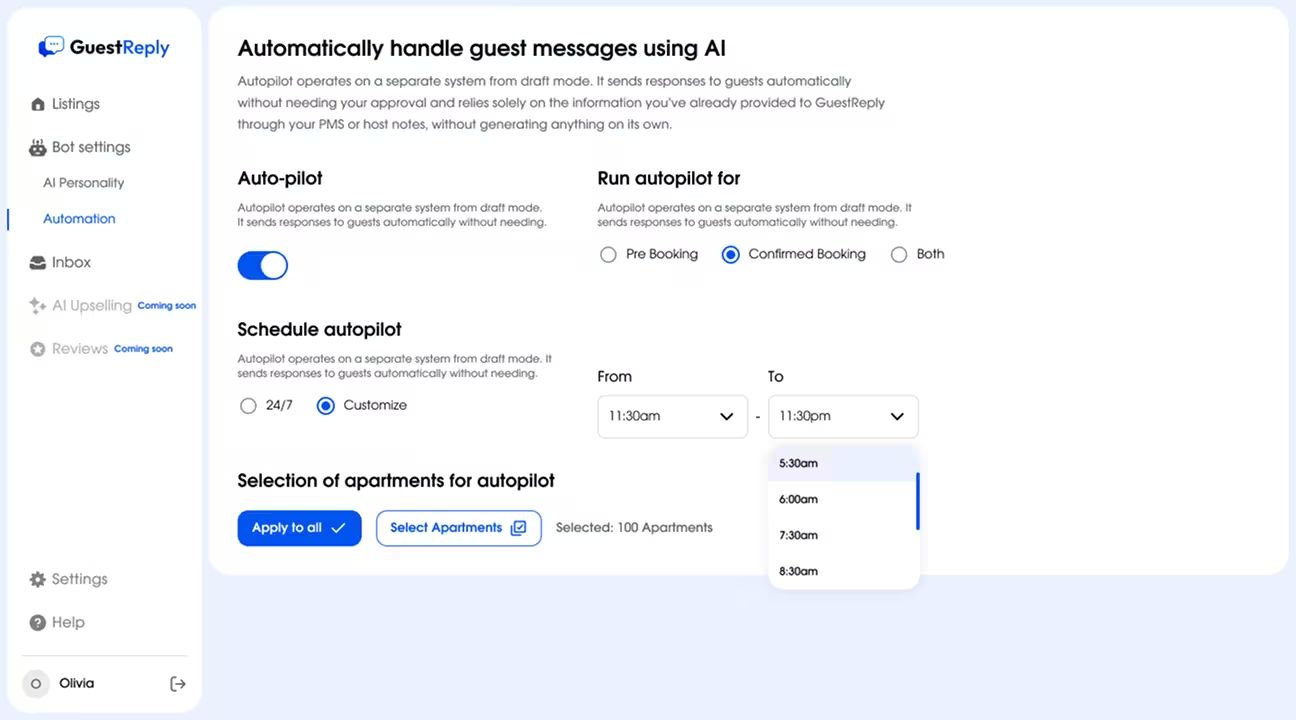
Auto-pilot handles routine messages on a schedule using the selected voice and rules. The experience is built around control: what gets automated, when it triggers, and how exceptions surface. This makes after-hours coverage possible without sacrificing accountability.
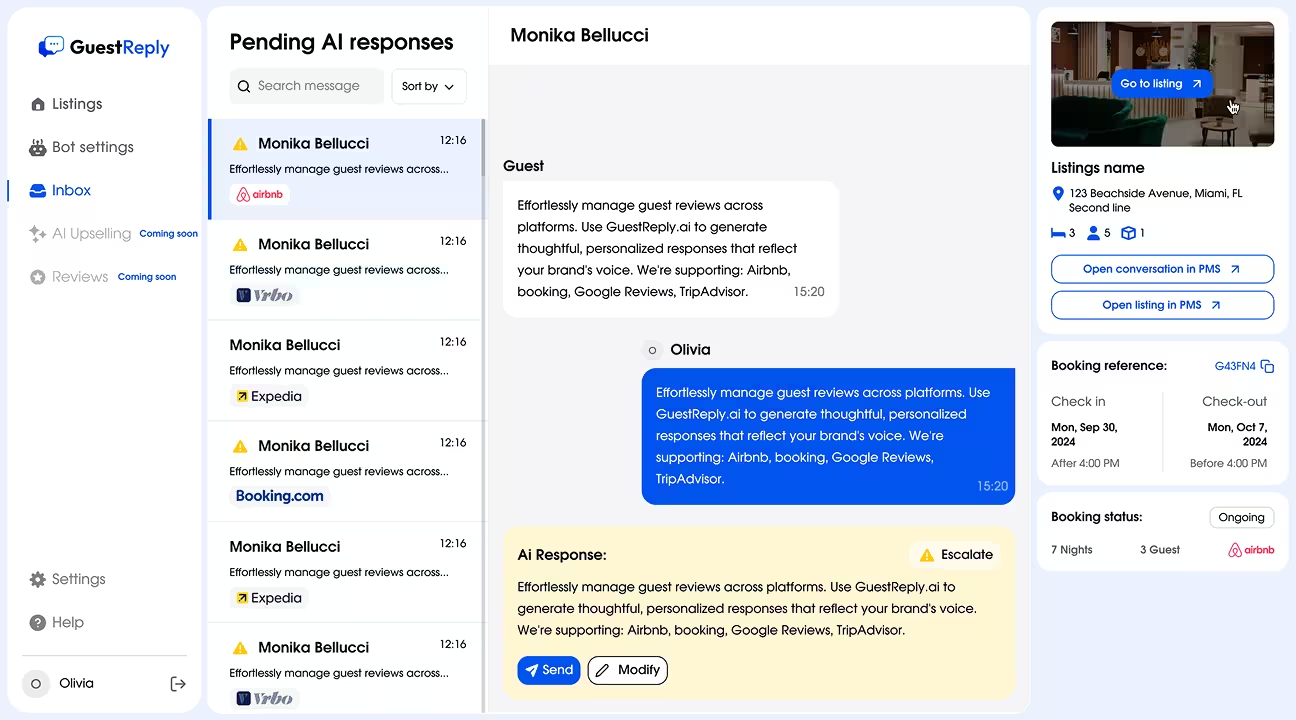
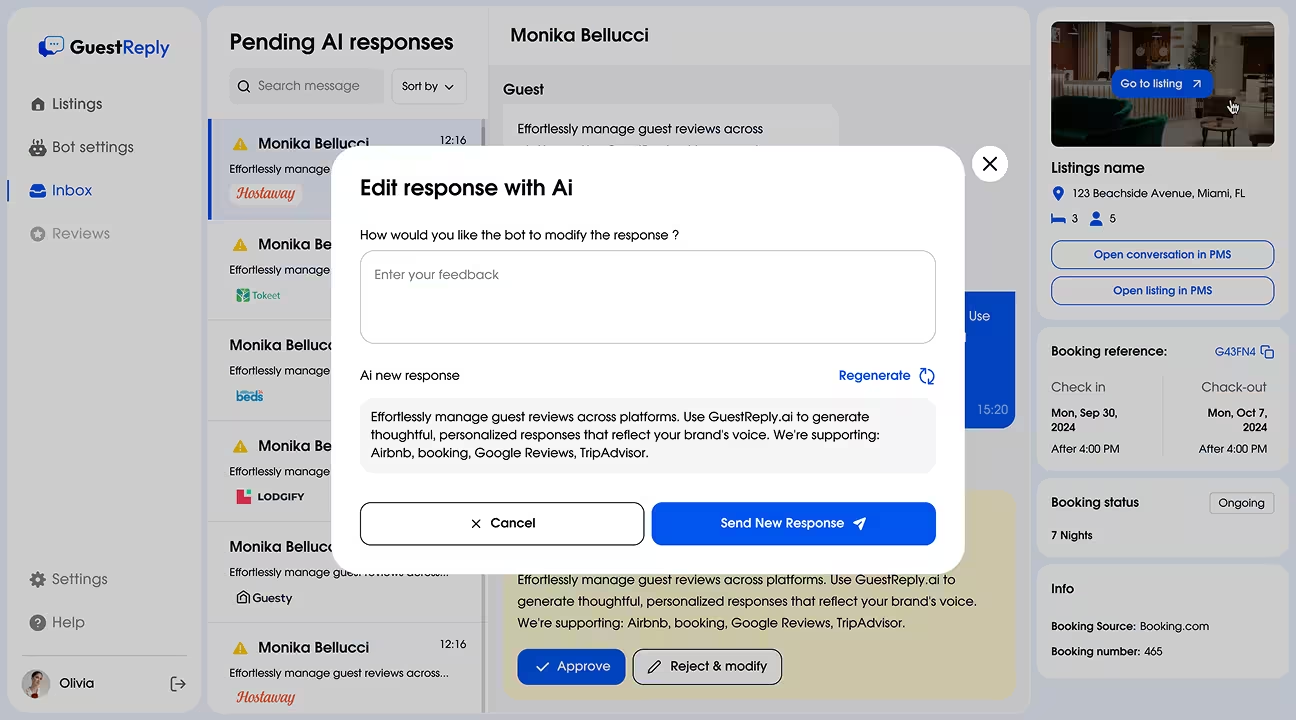
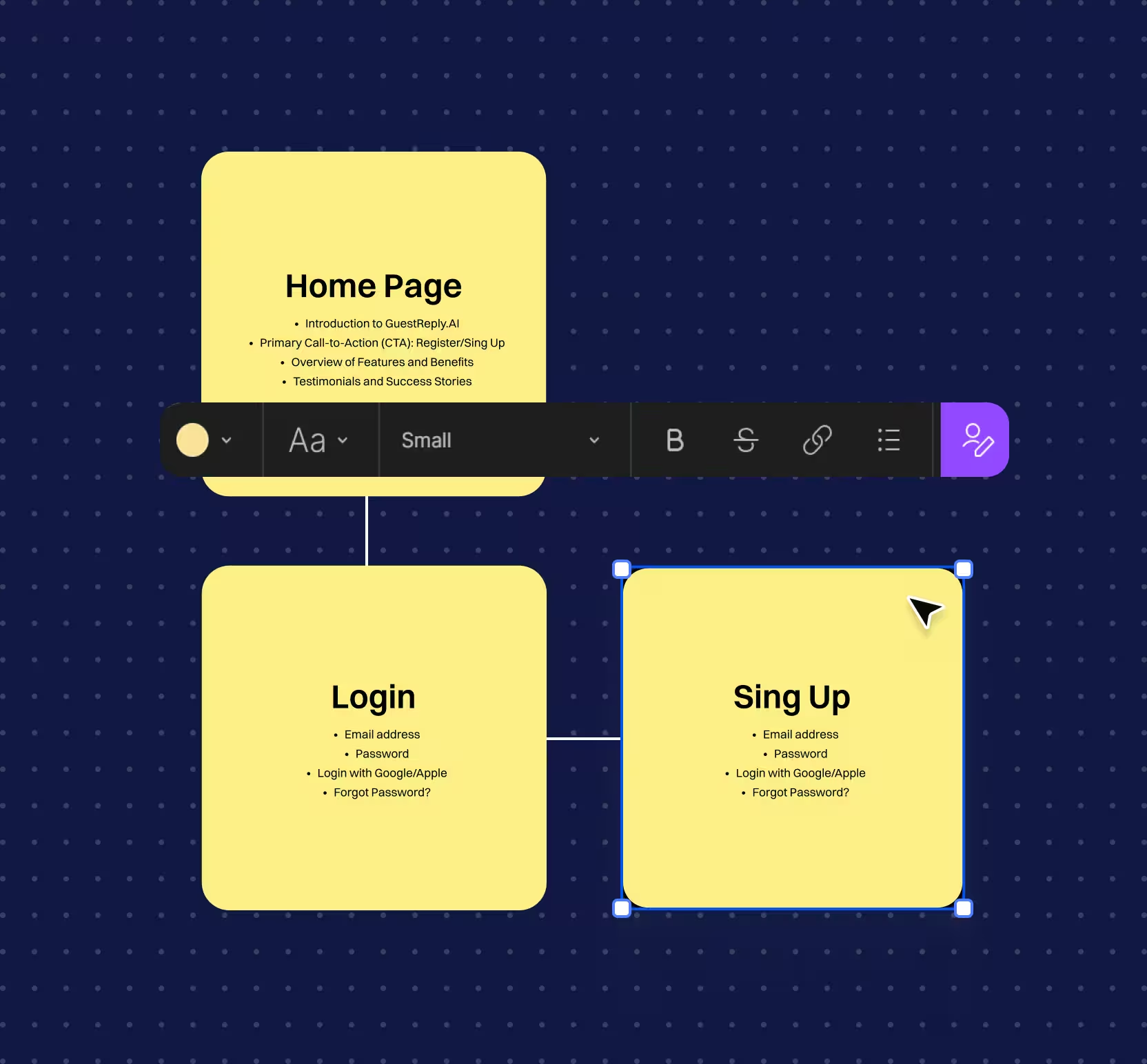
Navigation mirrors intent: inbox for live work, listings for context, reviews for reputation, settings for rules. Hierarchy prioritizes what needs attention now through consistent page structure and statuses, so teams move fast without learning new patterns per module.
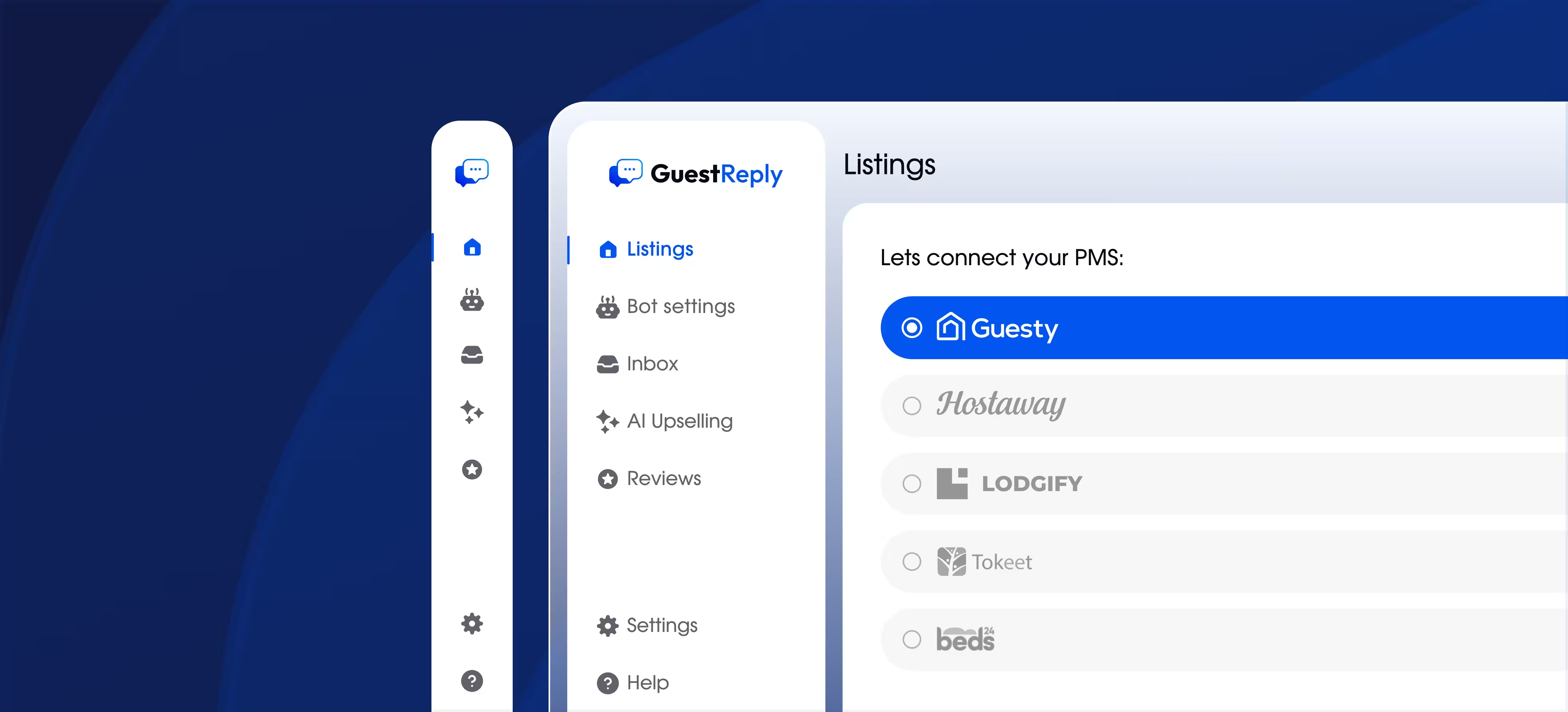
Settings control how automation behaves and how the product sounds. We grouped configuration by outcomes - tone, automation rules, and sync - and kept labels explicit so users can change behavior without fear.
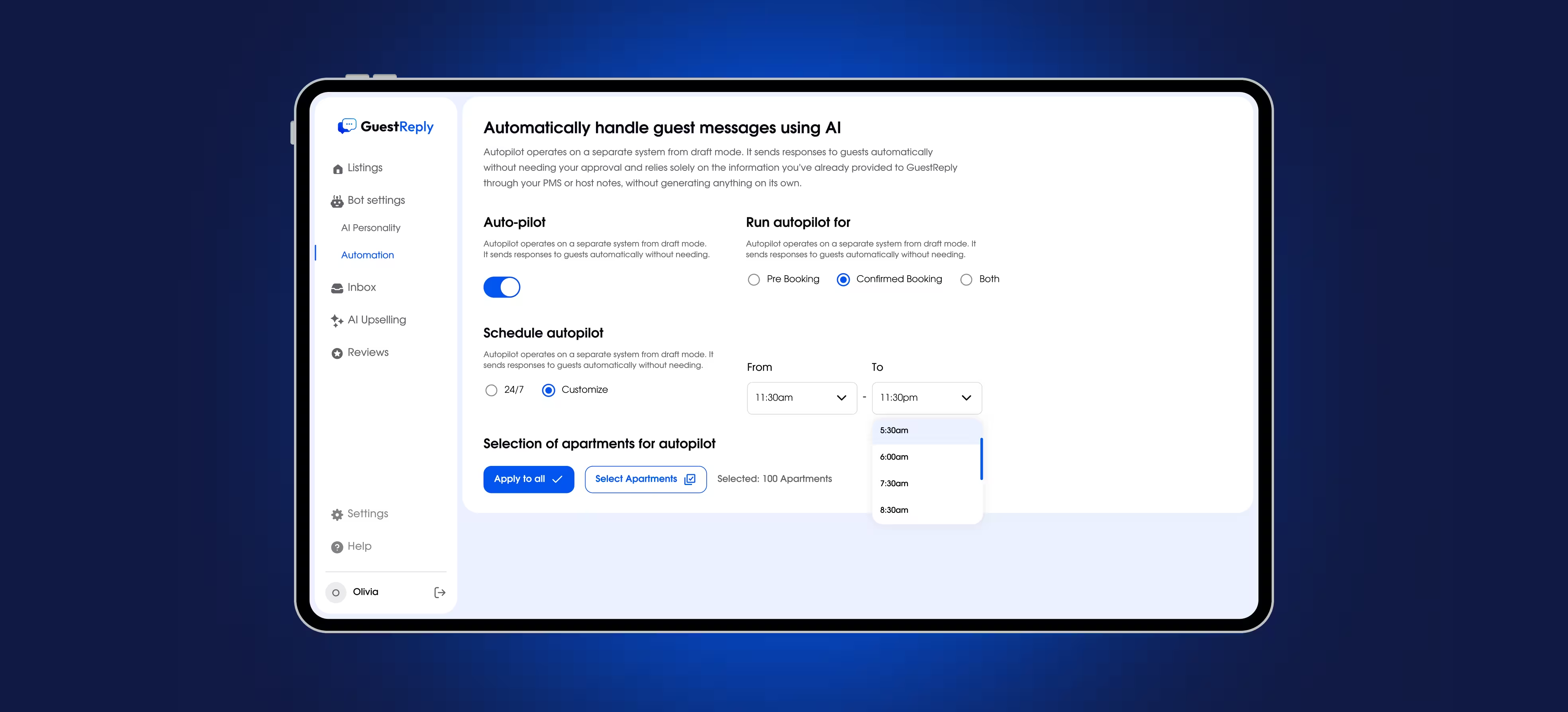
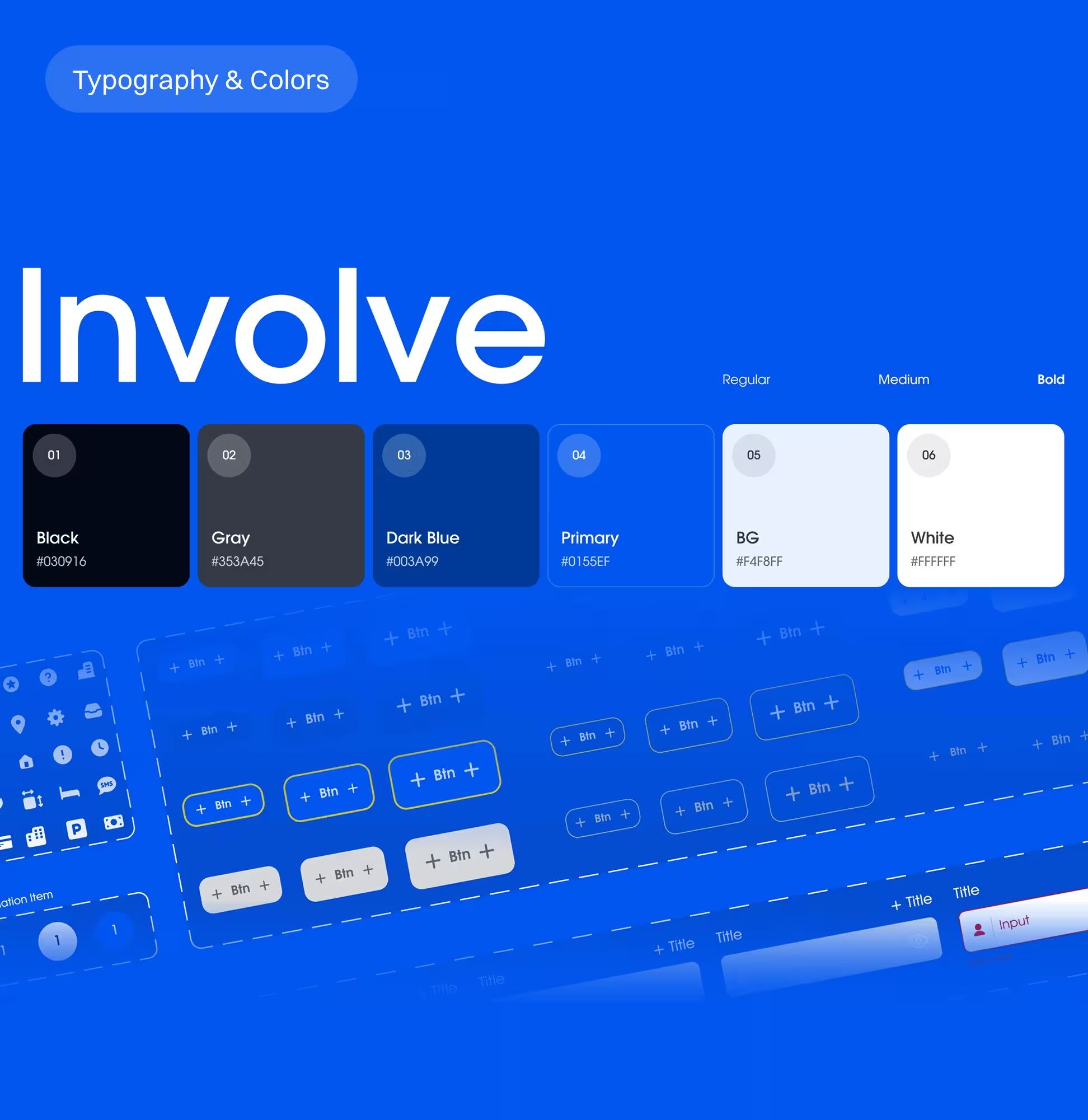
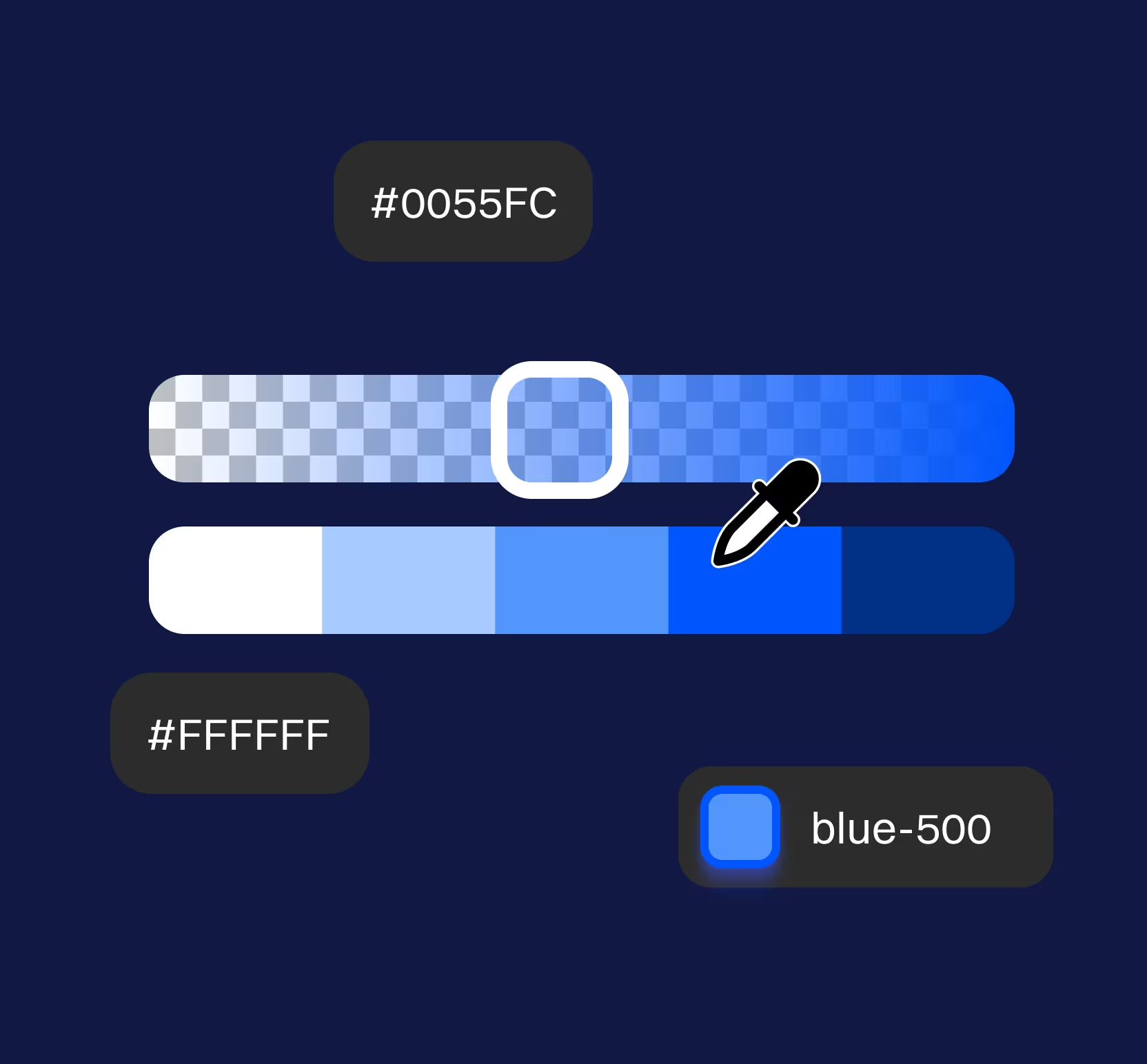
Scalability came from system thinking, not one-off screens. A clear status model prevents ambiguity in daily triage, and repeatable patterns for tables, badges, and filters reduce churn as modules expand. UI foundations (color and typography tokens) help prevent regressions and keep delivery consistent.
AI tools can save time, but the biggest risk is trust: sending the wrong reply. So we designed GuestReply to be easy to review, easy to control, and safe to override.We checked decisions with real examples from research and practical walkthroughs.
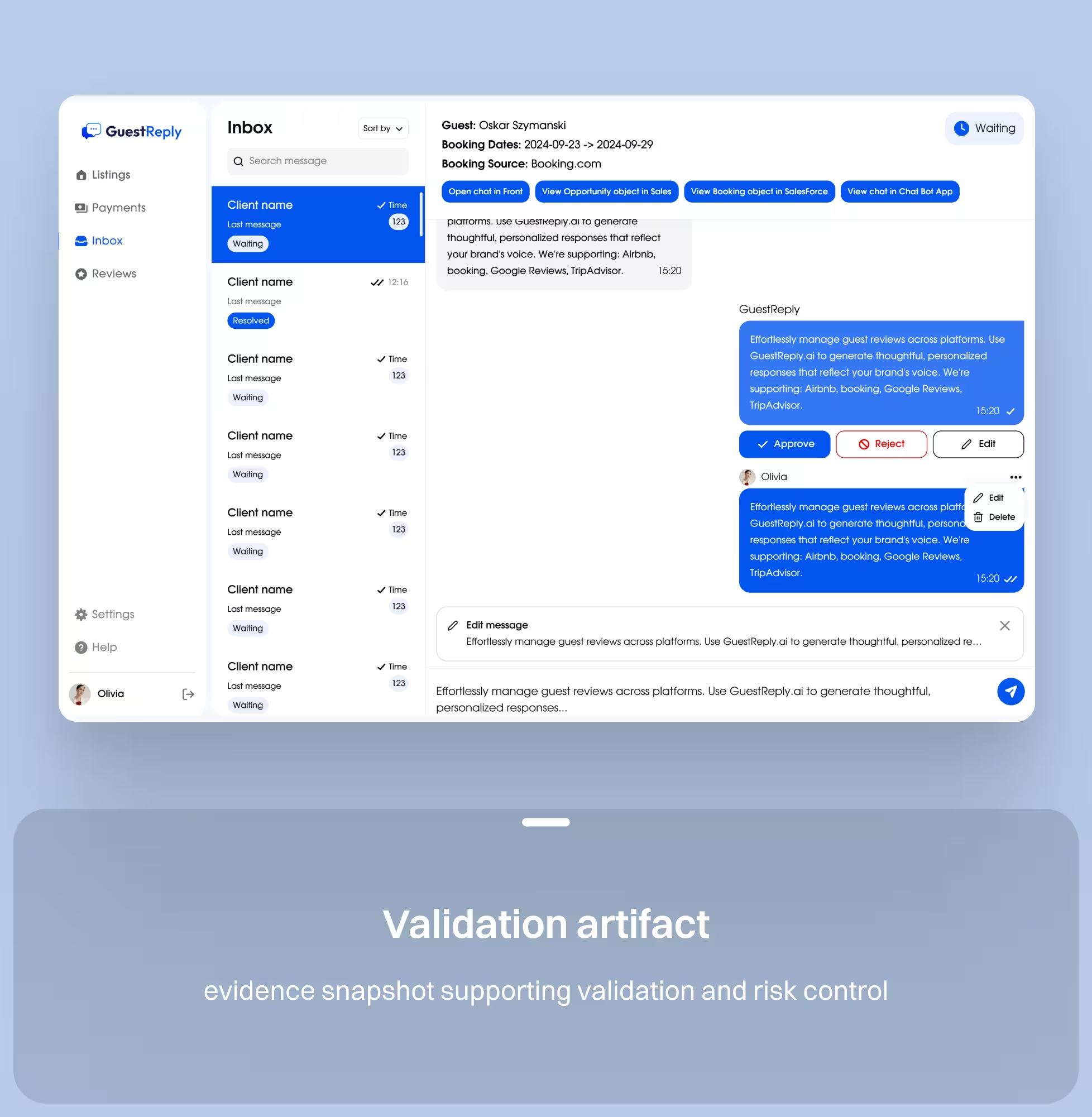
To reduce developer back-and-forth, we packaged the work around reusable patterns and explicit states. Core workflows were designed responsively and documented with consistent component behaviors, making implementation and future modules faster and safer.
For core workflows.
Status and empty states.
Typography and color tokens.
For AI and automation states.
Teams work from a single communication workspace.
Automation is controllable through clear rules and settings.
Listing context is easier to access during conversations.
Reply tone is more consistent via voice controls.
Whether you are launching a SaaS product, redesigning an existing platform, or improving the website around it, we can help create a clearer and more scalable product experience.